Small business website in Malta
What a small business website in Malta should include, what it costs and how to get one live fast.
Free guide · Google Business Profile
A Google Business Profile is the box that shows your business on Google Search and Maps, with your phone number, hours, reviews and a button to your website. It is free, and in Malta it is often the first thing people see when they search for a plumber, a dentist or a restaurant near them. This guide walks you through setting one up step by step, choosing the right categories, deciding whether to show your address, and passing Google’s verification, using Google’s own rules as they stood on 29 October 2026, so your profile does not get suspended later.
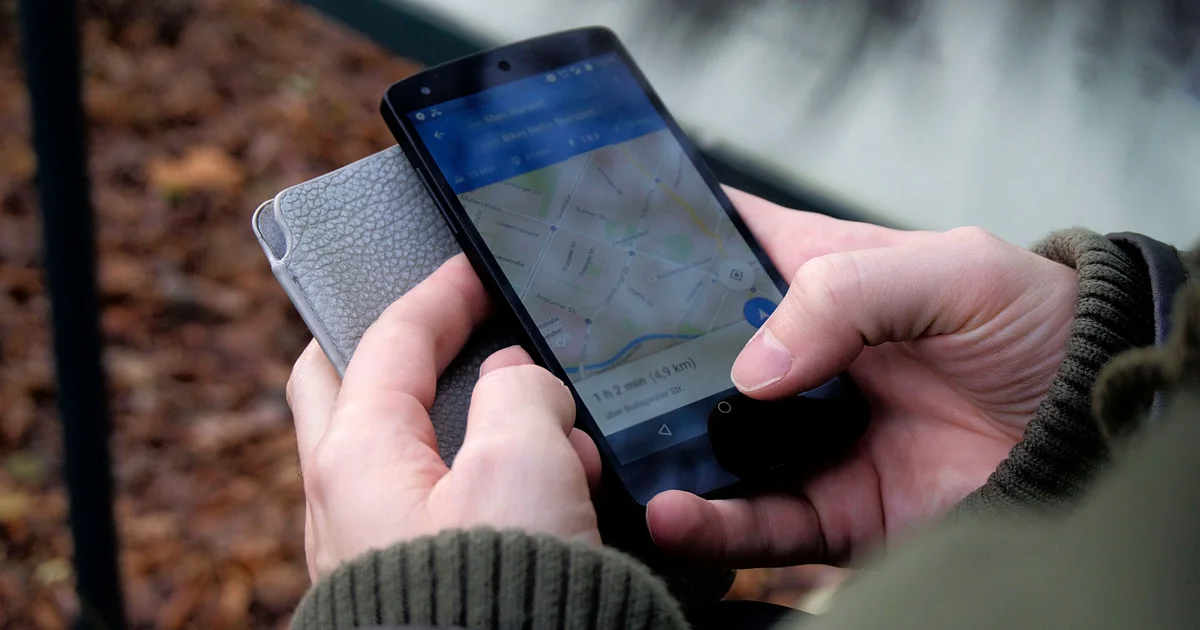
To set up a Google Business Profile in Malta, sign in at Google Business Profile, add your real business name and one main category, add your address only if customers visit you (otherwise list up to 20 service areas), add your own phone and website, then verify with the method Google offers. It is free. Malta Digital builds the website your profile links to.
Before you start
Setting up takes about fifteen minutes. Verification can take longer, so it helps to have everything ready before you start.
You need a Google Account. Google recommends that a new account for your business uses your business email domain, such as info@yourbusiness.com, rather than a personal Gmail address. You also need the name your customers know you by, the main thing your business is, the address where you meet customers or the towns you travel to, a phone number you answer yourself, and your website address.
If your business does not have a website yet, you can still create the profile. But Google asks for a website that represents your business, and a social media page is not a replacement, so plan for one.
Step by step
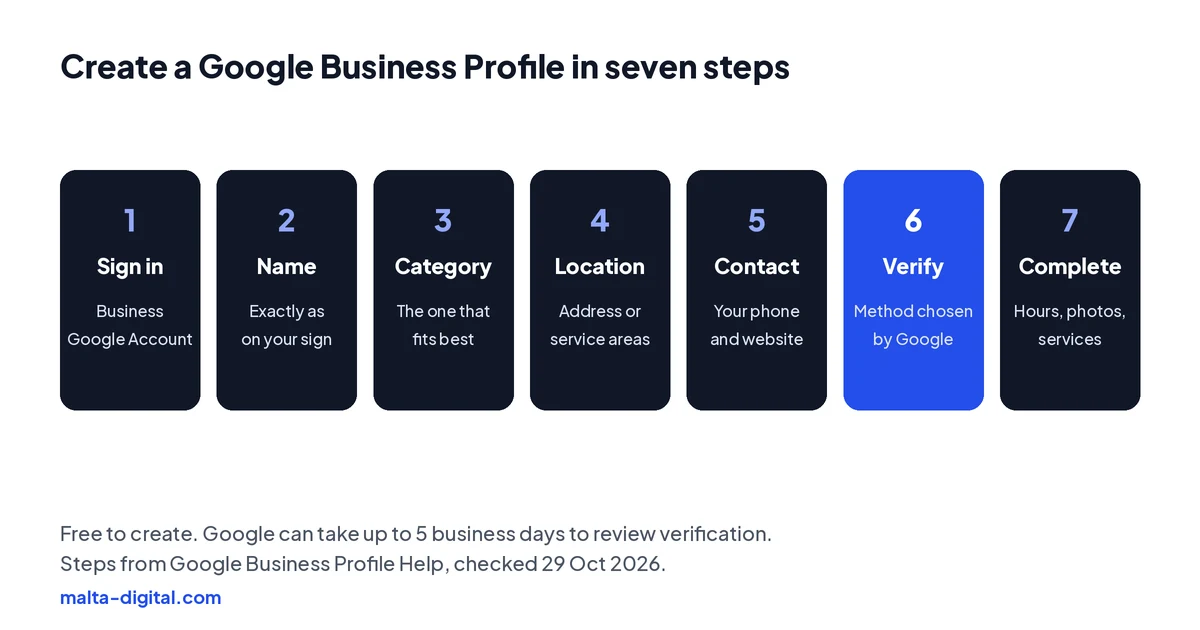
1. Sign in. Go to Google Business Profile and sign in with the account you want to manage the business from.
2. Add your business name. Type it exactly as it appears on your sign, van or invoices. If Google suggests a listing that already exists for your business, claim that one instead of creating a second.
3. Choose your primary category. Pick the one category that best describes what your business is, such as Electrician or Dental clinic. You can add more later, but Google asks you to use the fewest categories that describe your core business.
4. Add where you work. Say whether customers can visit you. If yes, add the address or drag a pin onto the map. If you go to your customers, choose service areas instead.
5. Add your phone number and website. Use a number that rings at your business and a website that belongs to your business.
6. Verify. Google then picks a verification method for you. More on that below.
7. Complete the profile. Add your hours, description, services and real photos of your work, premises and team at work.
Storefront or service area
This is the choice that trips up most Malta trades. Google’s rule is simple: show your address only if customers come to you at a staffed location during your opening hours. A salon in Sliema or a shop in Paola shows its address.
If you go to your customers, such as plumbers, electricians, cleaners, gardeners and mobile mechanics, you are a service-area business and Google says you must hide your address. You can then list up to 20 service areas, such as towns or postcodes. Google recommends keeping the whole area within about 2 hours’ driving of where you are based, which covers most of Malta and Gozo for most businesses.
Many Maltese addresses use a house name rather than a number. If Google cannot find your exact address, place the pin on the map yourself so customers land at the right door.
Verification
Google decides which verification methods you are offered, based on your category, location and other details, and you cannot pick one that is not shown. The methods it uses are below. After you complete a method, Google can take up to 5 business days to review it.
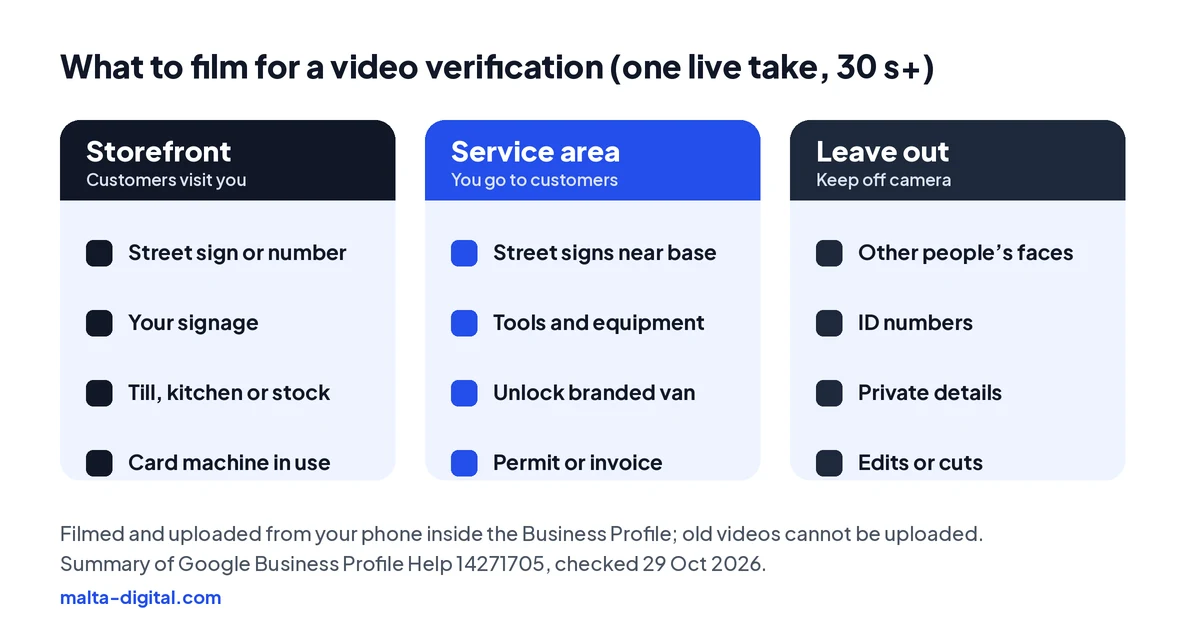
If you are asked for a video, read the requirements before you press record, because you cannot film it earlier and upload it later. It must be one unedited take of at least 30 seconds, recorded from your phone inside the Business Profile. A storefront business shows where it is, such as the street sign, building number or the shops next door, then its signage, then something only staff can access, like opening the till, the kitchen or the storeroom, or using the card machine.
A service-area business shows street signs or landmarks near its base, its tools, equipment or branded van, and proof that it runs the business, such as unlocking the van or showing a business permit, invoice or utility bill that matches the profile. Keep other people’s faces, ID numbers and private details out of the shot.
| Method | What happens | Good to know |
|---|---|---|
| Phone or text | Google calls or texts a code to your business number | Answer the line yourself: automated phone menus (IVR) cannot receive the code |
| A code is sent to your business email | Make sure you can open the email address Google shows on the verification screen | |
| Video recording | You film one live, unedited video of at least 30 seconds in the app | Show your location, your business and something only staff can access |
| Live video call | You show the same things to a Google support agent on a call | Only during business hours |
| Postcard | A 5-digit code is posted to your address | Most arrive within 14 days and codes expire after 30 days; do not edit your name, address or category while you wait |
The rules
Keywords in the name. “Joe’s Plumbing” is allowed. “Joe’s Plumbing Malta Best 24/7 Plumber” is not. Google does not allow taglines, service keywords, locations or opening hours added to your real name, and even “Ltd” should only appear if it is on your signs and documents.
A virtual office or post box. A rented mailing address where you do not work is not eligible, and a co-working desk only counts if it has your signage, staff during opening hours and customers who visit.
The wrong website or phone. Both must belong to the business. Google does not allow links or numbers that redirect people elsewhere, including pages on social media sites.
A delivery app as your menu. Restaurants can add a menu link, but menu links cannot point straight to third-party ordering or delivery services. Link to the menu on your own website instead.
Hours you do not keep. Add the hours customers can actually reach you. Businesses that work only by appointment may be told not to list hours, and seasonal businesses should update their hours or mark the profile as temporarily closed in the off-season.
Two profiles for one business. One business gets one profile per location. Duplicates confuse customers and can lead to suspension.
Apply now and tell us your business name and what you do. We’ll show you the website we’d build for your profile to link to, or message us on WhatsApp.
Reviews
Reviews help people choose you, so ask for them. Google lets you share a review link or QR code with customers after a job. What it does not allow is offering anything in return, such as a discount or a free service, asking only your happiest customers, pressuring people to review while they are still on your premises, or reviews from staff, family or anyone with a conflict of interest. Reviews that break these rules can be removed, and the profile can be restricted.
Reply to reviews, good and bad, calmly and in a few lines. A polite reply to a bad review often tells new customers more than the review itself.
Your website
Your profile gets you found. Your website is where people decide. Most people who tap the website button on your profile want to see your work, your prices or how to book, and if that page is slow, out of date or just a Facebook page, many will go back and tap the next business.
The name, address, phone number and hours on your website should match your profile word for word. That helps customers and makes it easy for Google to connect the two. When we build a website, we set this up, add your business details in a form search engines understand, and put call, WhatsApp and directions buttons where people expect them on a phone.
Proof
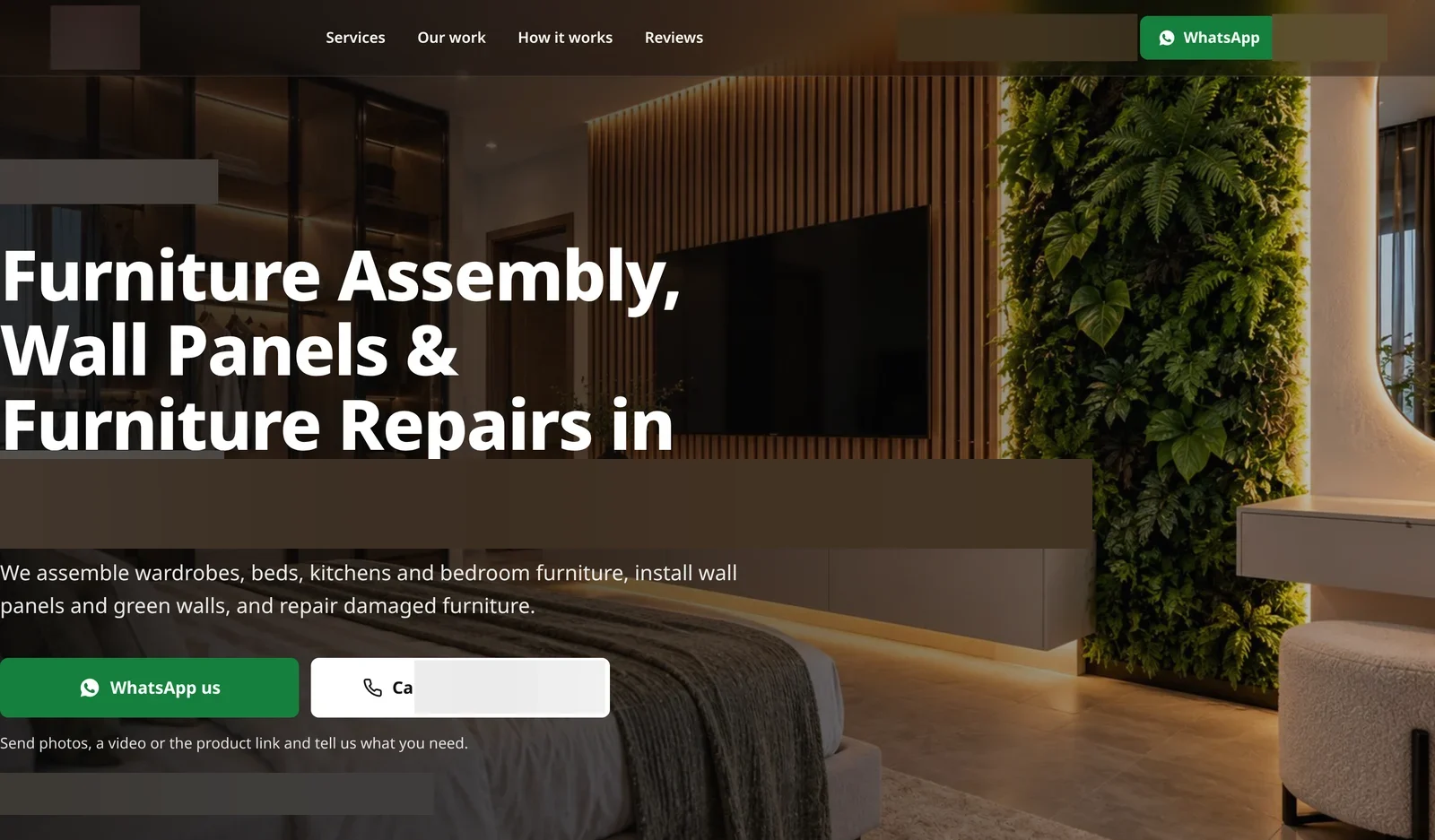
A furniture assembly and installation business came to us with no website, a Facebook page with an empty intro and 858 views in the previous 28 days. We built a mobile website made for quotes on WhatsApp, rebuilt their Facebook and Instagram, and ran Meta ads that open a WhatsApp chat or a phone call.
In the first 28 days, Facebook views went to 154.1K, and €346.75 of ad spend brought 395 WhatsApp taps, 10 phone calls and 1,158 page visits. The website was the place every one of those people landed, so it had to load fast on a phone and make the next step obvious.
Want a website your Google profile can send people to? Message us on WhatsApp
How we do it
Google Business Profile is free and you can set it up yourself with this guide. We do not sell it as a separate service. What we do is build the website your profile links to, so the people Google sends you can see your work and contact you in one tap.
Apply with your business name and what you do, or send us your current website or Facebook page on WhatsApp. We will tell you what we would build and send a written scope with a fixed price. Websites start from €990 excluding VAT.
A few straight answers
Yes. Creating and managing a Business Profile on Google Search and Maps is free.
Only if customers visit you at a staffed location during your hours. If you go to your customers, Google says you must hide your address and list service areas instead.
After you complete the method Google offers, the review can take up to 5 business days. Postcard codes, when offered, mostly arrive within 14 days and expire after 30.
Only if Google offers you another method, such as a call, text, email or postcard. Google chooses the methods based on your business, so you cannot always avoid a video.
No, unless it is part of your real business name as used on your signs and documents. Adding locations or keywords breaks Google’s guidelines.
Google does not allow website links that redirect to other pages, including pages on social media sites. Use your own website.
We do not offer it as a separate service. We build the website your profile links to and make sure your business details match on both.
Keep reading
What a small business website in Malta should include, what it costs and how to get one live fast.
When your site needs a redesign, what to keep, how redirects protect your Google rankings, and what it costs.

Answer five questions to see your starting price from €990, with VAT, your running costs and what pushes the price up.
A useful first step
We build fast mobile websites with your name, address, phone and hours matching your Google profile, and call, WhatsApp and directions buttons on every screen. From €990, excluding VAT.