Google Business Profile optimisation
12 fixes that help your profile show up and get chosen.
SEO · Local search
Wrong opening hours or an old phone number in search cost you customers. This guide explains LocalBusiness schema in plain English, shows the Malta formats that trip people up, and gives you a free generator.
LocalBusiness schema is labelled data in your website code that states your name, address, phone, hours and business type so search engines read them without guessing. Google needs only name and address, but phone with +356, coordinates, hours and summer hours make it useful. Keep it identical to your page and Google profile, and never mark up your own reviews. It is part of our SEO in Malta.
The short version
LocalBusiness schema is a small block of labelled data in your website’s code that states your business name, address, phone, opening hours and type in a format search engines read without guessing. Visitors never see it. Google, Bing and other systems that read your page use it to check and show the right facts about you.
It is not a ranking trick. Google says plainly that it does not guarantee any special result from structured data. What it does is remove doubt: when your website, your schema and your Google Business Profile all say the same thing, search engines are more likely to trust and repeat it. When they disagree, the wrong opening hours or an old phone number can end up in front of customers.
This guide shows which fields matter, how to write Malta addresses, phones and summer hours correctly, the mistakes that can cost you trust, and a free generator that writes the code for you. It is part of the work behind SEO in Malta.
Why it matters in Malta
Eurostat’s 2025 survey of enterprises shows that 81.6% of Malta firms with 10 or more staff have a website, a little above the EU average of 79.0%. 77.1% describe their goods, services or prices on it, and 37.8% take orders, reservations or bookings, far above the EU’s 22.5%.
So most Malta businesses already have the facts on their site. The trouble is consistency. The same street is written in Maltese on one page and in English on another, the phone appears with and without +356, Gozo branches share one page with Malta branches, and summer hours live only in a Facebook post. Schema is where you write the facts once, cleanly, in one agreed format. Only 14.3% of Malta firms offer their site in two or more languages, so if yours does, schema also helps tie each language version to the same business.
A quick way to see the problem is to search your own business name on a phone. Look at the hours, phone and address Google shows, then compare them with your website footer, your contact page and your Google Business Profile. If any of them disagree, customers see the disagreement too, often at the worst moment, such as a closed door on a Sunday when your listing says open.
The fields
Google’s documentation for local business structured data needs only two things: your name and your address. Everything else is recommended, and the more you add correctly, the more useful the data is.
| Field | Required? | What to put in it |
|---|---|---|
| name | Required | Your business name exactly as on your sign and Google profile |
| address | Required | Street, locality, postcode and country code MT |
| telephone | Recommended | Main customer number with country code, such as +35621234567 |
| url | Recommended | The page for this location, and it must work |
| geo | Recommended | Latitude and longitude, at least 5 decimal places |
| openingHoursSpecification | Recommended | Days, opening and closing times, plus seasonal hours |
| priceRange | Recommended | A short range such as €€, under 100 characters |
| menu, servesCuisine | Recommended for food | Menu page link and the type of food |
| department | Recommended | Separate parts with their own hours, such as a pharmacy inside a shop |
| aggregateRating, review | Only for review sites | Leave out for your own business, see below |
Google also suggests using the most specific type you can, such as Dentist or Restaurant rather than plain LocalBusiness, and allows a list of types if you do several things, such as an electrician who is also a plumber. Our generator offers the types most Malta businesses need.
Two rules keep the data honest. First, only describe what a visitor can also see on the page: if your hours are not on the page, add them there before putting them in the schema. Second, put the block on the page that is about the location, usually the home page for a single shop or the branch page for a business with several sites. You do not need it on every page of the website.
Malta formats
Most schema guides are written for the US, with states and five-digit ZIP codes. Malta is different, and small format mistakes are the most common reason the data does not match your Google profile.
| Field | Malta example | Common mistake |
|---|---|---|
| streetAddress | 12, Triq it-Torri | Mixing the Maltese and English street name across pages |
| addressLocality | Sliema, or Victoria for Gozo | Writing “Malta” as the locality |
| postalCode | SLM 1234: three letters, a space, four digits | Leaving it out, or writing it without the space on some pages |
| addressCountry | MT | Writing “Malta” in one place and MT in another |
| telephone | +35621234567 or +356 2123 4567 | Leaving out +356, which Google asks you to include |
| geo | 35.91234, 14.50123 | Coordinates of the town centre instead of your door |
| opens and closes | 08:00 and 18:00 | Writing 6pm, or using one block for split hours |
Use MaltaPost’s postcode finder to get the exact postcode for your address, and pick one spelling of the street and locality that matches your Google Business Profile. For a business in Gozo, the locality is your town, such as Victoria, Xagħra or Marsalforn, not “Gozo”.
Many Malta businesses change hours in summer, close for August or open late on Friday and Saturday. Google supports seasonal hours with a start and end date, and a closed day by setting opening and closing time to 00:00. That is better than hoping people read a Facebook post.
Want your business facts set up right on Google and your website? Apply now for a Google-ready website
Reviews
It is tempting to add star ratings to your own schema so stars appear next to your site in search. Google stopped this in 2019. Its review guidelines say that reviews about a business placed on that business’s own website, directly or through a widget, are self-serving, and Google does not show review stars for LocalBusiness or Organization in that case.
Worse, Google’s general structured data guidelines warn that markup which does not reflect the page, or tries to mislead, can lead to a manual action, which means Google ignores your structured data. Your reviews still matter a lot for local results, but they belong on your Google Business Profile. Show them on your site as normal text if you like, without review markup. Our guide on how to get Google reviews covers the right way to collect them.
Consistency
Schema works best as the last piece of a simple rule: your business facts are the same everywhere. Google’s guidelines also say structured data must describe content that visitors can see on the page. If your schema says you open at 8:00, the page should say 8:00 too.
When anything changes, such as a move, a new number or new hours, update all four places on the same day. Our guides to Google Business Profile optimisation and Apple Maps and Bing Places in Malta cover the other three. If your business does not appear on Maps at all, start with business not showing on Google Maps.
Free tool
Fill in your details. The generator writes the code as you type, checks the Malta postcode, phone and coordinates, and warns you about anything Google is likely to reject. Copy the code and give it to whoever looks after your website, or paste it into your page head yourself.
Use your own figures. Nothing you type is sent anywhere.
Your result appears here as you type.
Then test the page with Google’s Rich Results Test or the Schema Markup Validator before and after it goes live. The generator covers one set of weekly hours; for split hours, such as a lunch break, or for summer hours, add a second opening hours block in the same way as the café example below.
Worked examples
Example 1: a café in Sliema with summer hours. Say a café opens 8:00 to 18:00 every day, but stays open until 23:00 on Fridays and Saturdays from June to September. Its schema has one block for the normal week and a second block with dates for the summer evenings. When a tourist asks their phone at 21:00 on a July Saturday whether the café is open, the facts are there to answer yes.
{
  "@context": "https://schema.org",
  "@type": "CafeOrCoffeeShop",
  "name": "Café Example",
  "url": "https://www.cafeexample.com.mt/",
  "telephone": "+35621234567",
  "priceRange": "€€",
  "address": {
    "@type": "PostalAddress",
    "streetAddress": "12, Triq it-Torri",
    "addressLocality": "Sliema",
    "postalCode": "SLM 1234",
    "addressCountry": "MT"
  },
  "geo": { "@type": "GeoCoordinates", "latitude": 35.91234, "longitude": 14.50123 },
  "openingHoursSpecification": [
    { "@type": "OpeningHoursSpecification",
      "dayOfWeek": ["Monday","Tuesday","Wednesday","Thursday","Friday","Saturday","Sunday"],
      "opens": "08:00", "closes": "18:00" },
    { "@type": "OpeningHoursSpecification",
      "dayOfWeek": ["Friday","Saturday"],
      "opens": "08:00", "closes": "23:00",
      "validFrom": "2027-06-01", "validThrough": "2027-09-30" }
  ]
}
Example 2: one business, two locations. Say a physiotherapy clinic has a branch in Birkirkara and one in Victoria, Gozo. Each branch gets its own page with its own address, phone, hours and coordinates, and its own LocalBusiness block, with the type MedicalClinic. Both match their own Google Business Profile. One shared page with two addresses confuses everyone. Every website we build includes structured data: a Professional Website from €990 is complete in 24 to 48 hours, and the 24-Hour Premium Website, €2,990 for up to 15 pages, includes LocalBusiness and FAQ schema and goes live in 24 hours.
Mistakes
| Mistake | What happens | Fix |
|---|---|---|
| Hours in schema differ from the page or Google profile | Search engines may show the wrong hours, or trust none of them | Update all places on the same day |
| Review stars for your own business | No stars shown, and a risk of a manual action | Remove the rating markup |
| One block listing several branches | Branches get mixed up | One page and one block per location |
| Phone without +356 | Number may not be recognised as Maltese | Use +356 and the 8-digit number |
| Keywords stuffed into the name | Name does not match your sign or profile | Use your real business name only |
| Coordinates with 2 or 3 decimals | Pin lands hundreds of metres away | Use at least 5 decimals from your door |
| Schema copied from another site | Wrong facts or a stranger’s business | Generate it for your own details |
Most of these come from templates and plugins left on default settings. A short check once a year, and every time something changes, keeps them away.
If you are not sure whether your site has schema at all, paste your home page address into the Rich Results Test. It lists every type it finds, such as LocalBusiness, Organization or FAQPage, and any errors or warnings. No result at all usually means there is no local business data on the page, which is the easiest fix on this list.
Step by step
For a full list of what to check before a new site goes live, see our website launch checklist.
Beyond the basics
A single shop or office needs one LocalBusiness block. Some businesses need a little more, and getting it right avoids confusion between branches, brands and languages.
| Situation | What to do |
|---|---|
| Branches in Malta and Gozo | One page per branch, each with its own LocalBusiness block |
| A department with its own hours | Use department inside the main business, named “Store name Department name” |
| Website in English and Maltese or Italian | Same facts in every language version, translated text but identical address and phone |
| Service area business with no shop front | Keep the real address in schema only if it is shown on the page; match your Google profile settings |
| FAQ on the page | Add FAQPage schema that matches the visible questions word for word |
If your site runs in more than one language, our multilingual website guide covers how to keep each version linked.
If your business has no place customers visit and no service area, such as an online-only shop or a software company, LocalBusiness is the wrong type. Use Organization instead, with your name, logo, website and contact details. Google treats LocalBusiness as a kind of Organization, so the facts you give are similar; the difference is that LocalBusiness tells search engines there is a real place, with an address and opening hours, where customers can find you. Marking up an address that customers cannot visit sends the wrong signal and can confuse map results.
How we help
Structured data is built into every website we make in Malta and Gozo, together with page titles and descriptions. A Professional Website from €990 is complete in 24 to 48 hours, a Business Website from €2,490 takes 2 to 4 days, and a Growth Website from €4,900 takes 7 days, once your content is ready. See web design in Malta or the website in 24 hours in Malta.
If you already have a website, our SEO plans in Malta at €997, €1,997, €2,997 and €4,997 a month include fixing your business facts across your site, schema and profiles. We have 18 Google reviews from real clients.
Ready for a website Google understands? Apply now for a Google-ready website
A few straight answers
A block of labelled data in your website code that states your business name, address, phone, hours and type in a format search engines read without guessing. Visitors do not see it, but it helps search engines show the right facts.
Not directly. Google does not guarantee any special result from structured data. It helps search engines trust and show correct facts, which supports your local presence when it matches your page and Google Business Profile.
Google requires only name and address. It recommends telephone with country code, url, geo coordinates with at least 5 decimals, opening hours, price range, and menu for food businesses.
Use streetAddress for the street and number, addressLocality for the town, such as Sliema or Victoria, postalCode in the format SLM 1234, and addressCountry MT. Use the same spelling as your Google profile.
No. Since 2019 Google treats reviews a business places on its own site as self-serving and does not show review stars for LocalBusiness in that case. Keep reviews on your Google profile and show them as normal text.
Add a second opening hours block with validFrom and validThrough dates for the summer period. To mark a day as closed, set both opening and closing time to 00:00.
Use Google’s Rich Results Test and the Schema Markup Validator on the live page, fix any errors, and check again whenever your hours, phone or address change.
Sources
Keep reading
12 fixes that help your profile show up and get chosen.
Get listed right beyond Google.
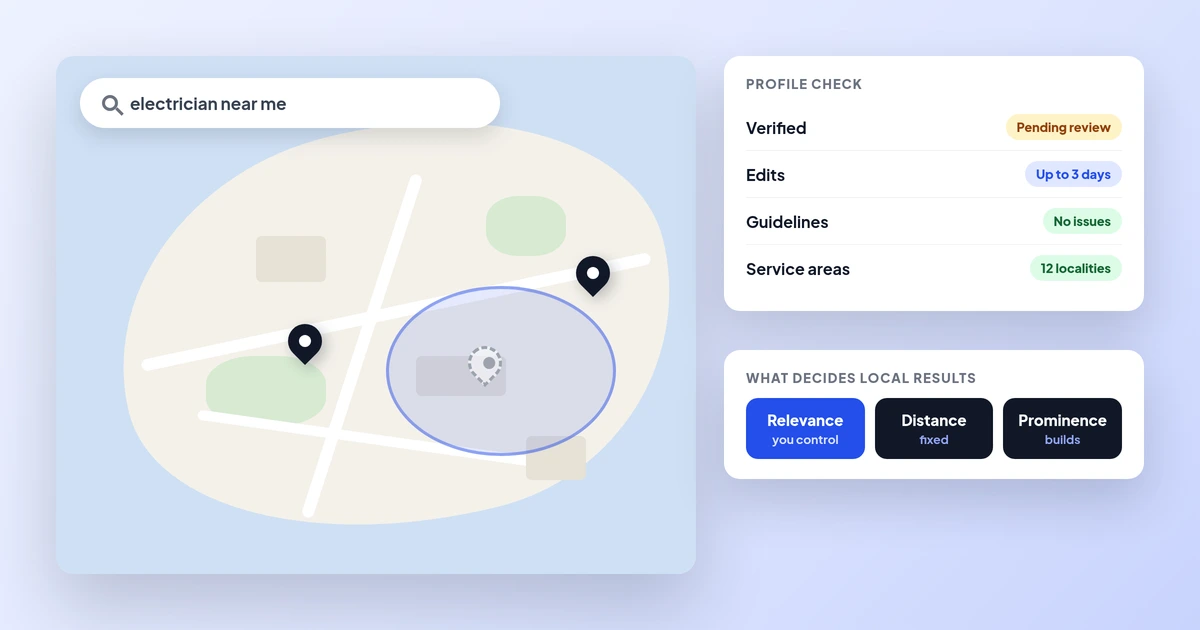
The causes, and the fixes, in order.
A useful first step
Professional Website from €990, Business Website from €2,490 and SEO plans from €997 a month. Tell us about your business and we reply with what we would fix.
Step 1 of 2
A few quick questions, about a minute. We usually reply within 2–3 hours.