The challenge
Bookings, nanny recruitment, documents, training, invoices and payouts were spread across messages, spreadsheets and email. Nothing showed the office what needed attention first.
A childcare and nanny agency was juggling bookings, nanny applications, documents, training and payments across separate tools. We designed and built one platform with three connected parts: a command centre for the office, a portal for nannies and a booking app for parents.
Screens show sample data · Client name withheld
In short: a custom CRM and booking platform for a childcare agency. The office sees what needs action now, nannies apply, train and accept jobs in their own portal, and parents book through a guided journey. It is a new system, so this case study shows what we built and how it works, not results.
The story
Bookings, nanny recruitment, documents, training, invoices and payouts were spread across messages, spreadsheets and email. Nothing showed the office what needed attention first.
One platform with three parts: a command centre for the office, a nanny portal from application to payout, and a client app that guides parents from first visit to a confirmed booking.
Every booking, nanny and parent has one record. Urgent jobs, expiring documents and disputes show up at the top, so nothing is missed.
The challenge
A nanny agency runs two businesses at once. On one side it recruits and checks nannies: applications, interviews, documents, tests and training. On the other it serves parents: bookings, matching, prices, invoices and follow-ups. Then it pays the nannies.
When this lives in WhatsApp, email and spreadsheets, the office spends its day chasing. Which job still has no nanny? Whose first aid certificate expires next month? Who accepted Sunday’s booking? Which invoice is unpaid?
The agency needed one place that answers those questions without anyone having to ask.
What we built
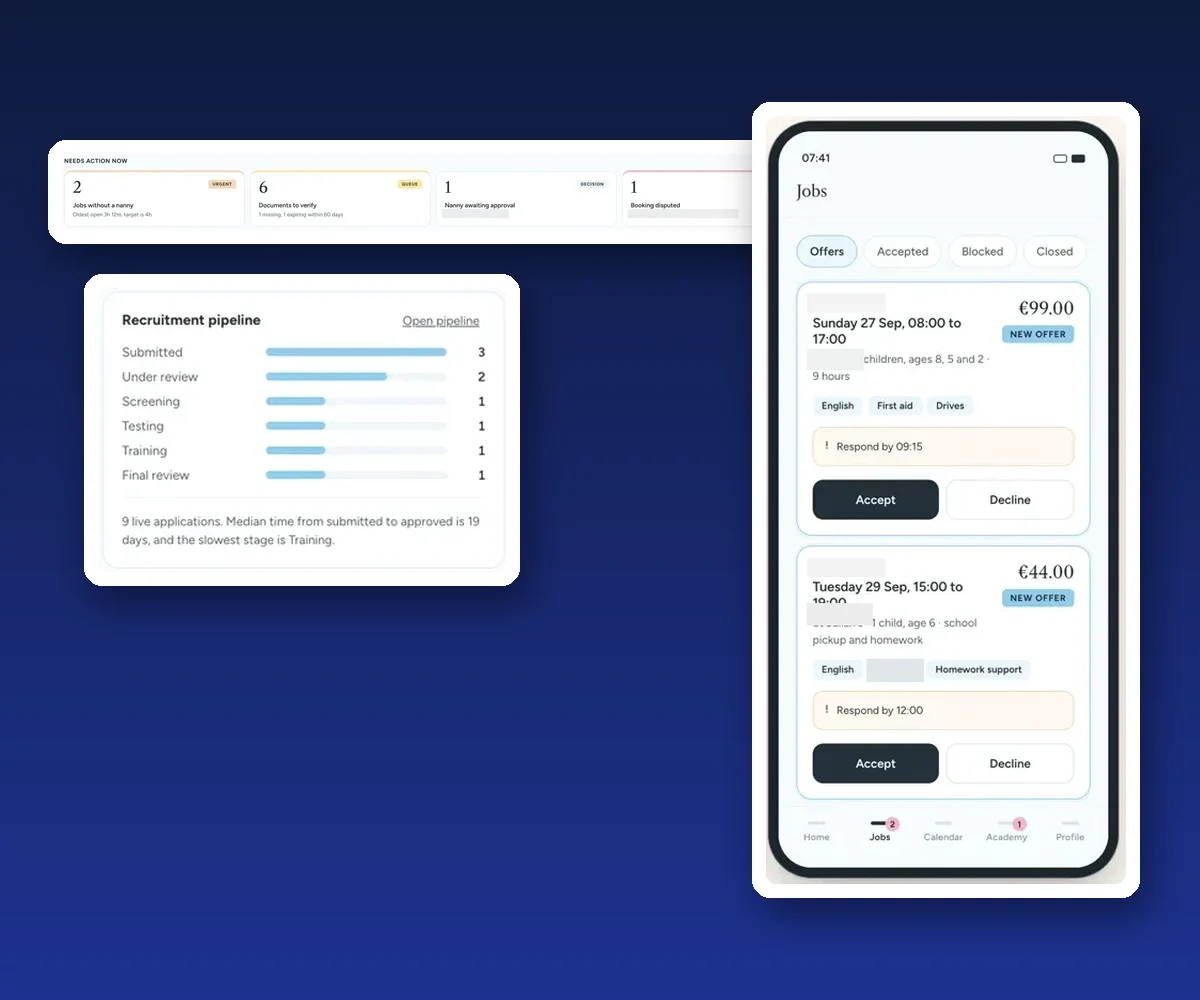
The home screen opens with “Needs action now”: jobs without a nanny (with a target time to fill them), documents to verify or expiring soon, nannies waiting for approval, and disputed bookings. From there the team manages bookings, nanny applications, nannies, documents, tests and training, clients, messages, billing and invoices, nanny payouts and products. An audit log records every change.
Nannies start on a recruitment page and complete a six-step application. They can see where they are in the pipeline, upload documents, and take tests and training. Once approved, they get matched job offers with a “respond by” time, accept or decline them, check in on the job, set their availability, see their calendar, follow academy lessons, track document expiry dates and see their earnings and payouts.
Parents follow a guided booking journey: they tell the agency what they need, see a matched nanny and a clear price, create an account, and then follow the live booking record through to completion.
A parent’s booking lands in the command centre. The office or the matching rules offer it to suitable nannies. The nanny accepts in the portal, checks in on the day, and the job flows into invoicing and the nanny’s payouts. Everyone sees the same booking, from their own side.
Tell us where the work gets stuck. We map it with you and show you what a custom CRM would do.
Inside the platform
Click any image to enlarge it. Screens show sample data, not client figures. Names, references and addresses are hidden.
Urgent jobs, documents to check, approvals and disputes, with the oldest item and target time shown.
Their offers, the time to respond, the skills each job needs, and one tap to accept or decline.
Results
This is a new system. We are not publishing results or usage numbers because there are none we can confirm yet. The screens on this page use sample data.
What the platform is designed to change:
We will update this case study when there are real numbers to share.
The service behind it
A CRM built around how your business really works: customers, bookings, staff, documents and follow-ups in one place.
Portals, booking flows and dashboards for staff, partners and customers. Custom systems start from €7,500 excl. VAT.
Straight answers
A childcare and nanny agency that recruits nannies and places them with families. The same approach works for any agency that matches staff to bookings.
A command centre for the office, a portal for nannies, and a booking app for parents. They share the same data.
It is a new system, so there are no confirmed results to share yet. This case study shows the problem, what we built and how it works.
No. The screens use sample data. Names, references and locations are hidden.
Custom systems start from €7,500 excl. VAT. The final price depends on the scope we agree after mapping how your business works.
Yes, a custom system can connect to the tools you already use. We agree which connections you need during mapping.
This case study describes a system we designed and built. Screens use sample data and are not client results. Client name withheld.
More case studies
customer, office and driver, in one system.
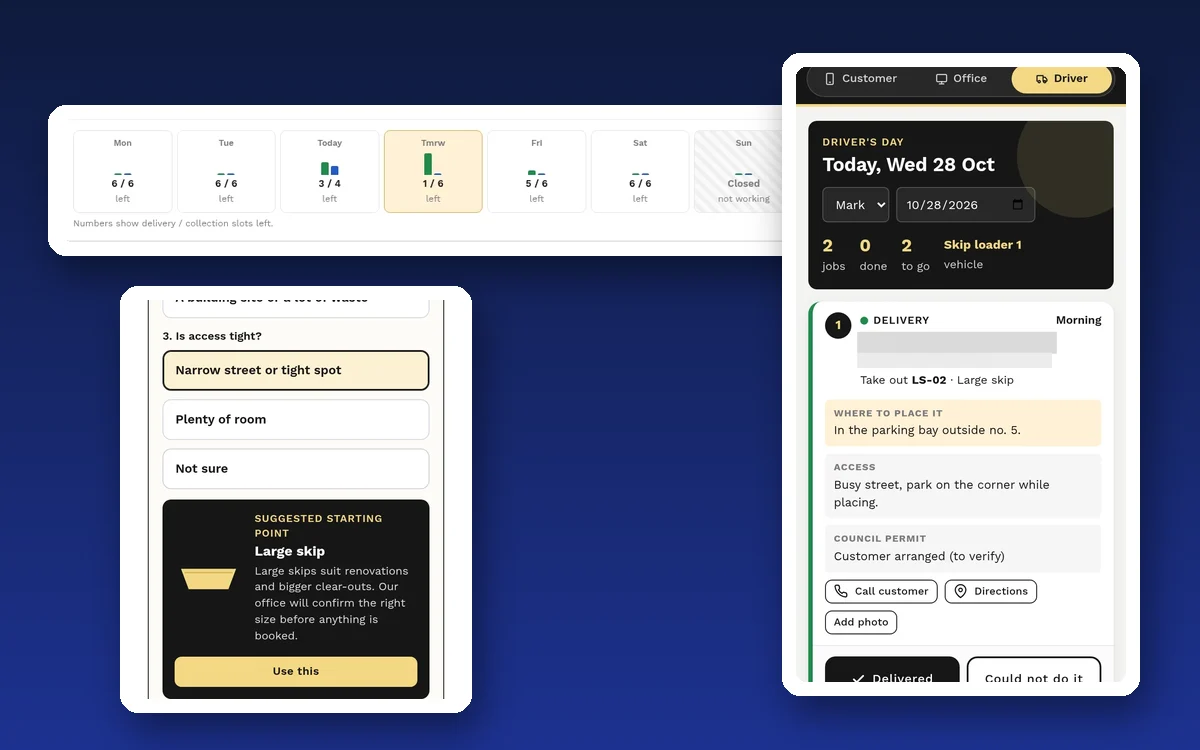
Online skip booking with a size helper, daily capacity, vehicles, drivers and a driver app.
Read the case study →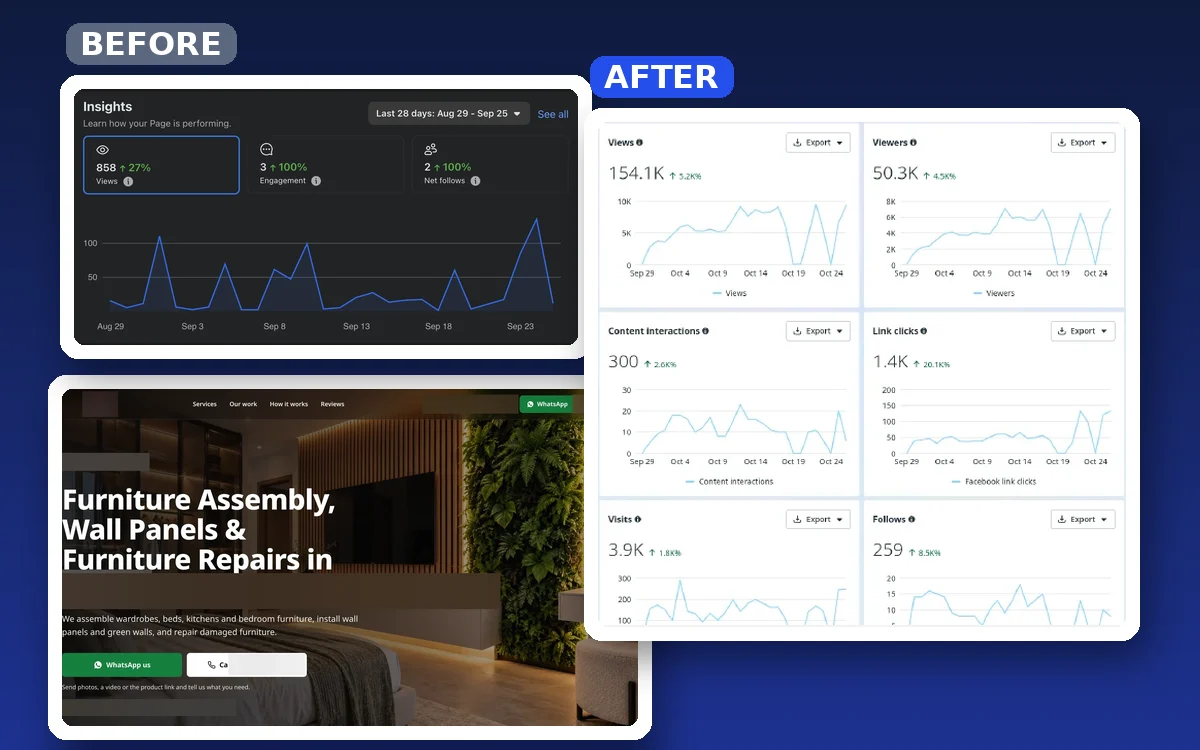
Facebook views in 28 days, from almost none.
A furniture installer with no website and an empty page got a website, social media and WhatsApp ads.
Read the case study →Tell us how your business runs today. We show you what a custom CRM would change.