
Booking systems for salons and clinics
Features that matter, deposits and reminders, client records and privacy, ready-made vs custom.
Systems & automation · Appointment reminders
Appointment reminders are short automatic messages, by WhatsApp, SMS or email, that confirm a booking straight away and remind the customer before the appointment, with a one-tap way to confirm, change or cancel. For clinics, salons, garages, tutors and other service businesses in Malta they are the simplest way to cut no-shows: send a confirmation at booking, a reminder about 24 hours before, and for longer appointments a short note on the day. Keep the message clear, personal and free of sensitive details, and make sure a cancellation frees the slot for someone else.
Reminder: your appointment is tomorrow, Thu, at 10:30. Reply 1 to confirm or 2 to change.
1
To cut no-shows, send a confirmation at booking and a reminder about 24 hours before, by WhatsApp, SMS or email, with a one-tap way to confirm, change or cancel, and keep sensitive details out of the message. Malta Digital sets up automated appointment reminders connected to the booking diary for clinics, salons and service businesses in Malta and Gozo.
The short answer
A reminder has one job: make sure the person who booked either turns up or tells you in time to give the slot to someone else. Everything in the message should serve that job. Who it is from, what the appointment is, when and where it is, and how to confirm, change or cancel it in one tap.
Most no-shows are not rude customers. They are people who booked three weeks ago, forgot, got the day wrong or had something come up and did not want to call. A good reminder turns them into confirmed visits or early cancellations, and an early cancellation is worth almost as much as an attendance when you can refill the slot.
There is good evidence that it works. A Cochrane review of trials on mobile phone text reminders for healthcare appointments found that reminders improved attendance compared with no reminder, with results similar to phone call reminders at a lower cost. The same logic applies to a salon chair or a garage bay.
The problem
A no-show costs more than the missing fee. The physiotherapist in Birkirkara still pays for the room and the hour, the hairdresser in Mosta turned away two people who wanted that Saturday slot, and the dental clinic in Sliema has a nurse and a chair sitting idle. Over a year, a few empty slots a week add up to weeks of lost work.
Many businesses try to fix it by hand: the receptionist calls tomorrow’s customers in the afternoon. It works, but it takes an hour a day, it happens only when someone remembers, and most calls go unanswered because people are at work. A WhatsApp message they can read and answer in two seconds gets a far better response.
The other common fix, charging everyone a deposit, can backfire. It reduces no-shows but also bookings, especially from new customers who do not know you yet. Reminders should come first; deposits are for the services where a missed slot really hurts.
Timing
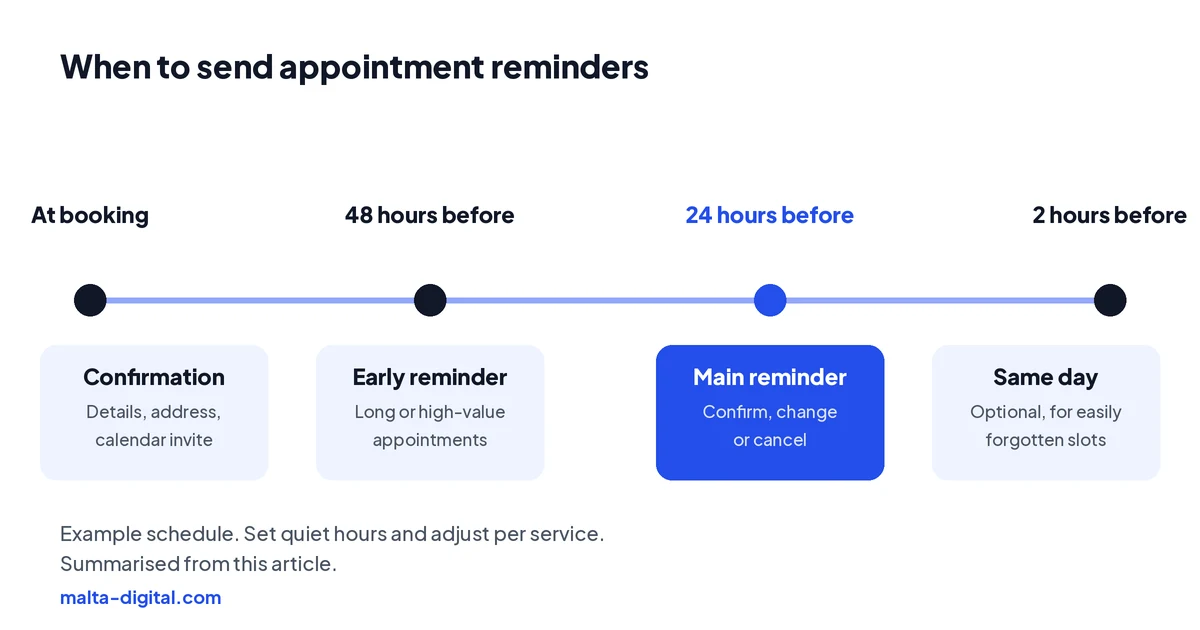
Start with the confirmation, sent the moment the booking is made. It reassures the customer that the booking worked and gives them the details in writing. It is also when to add the calendar invite and the address.
The main reminder goes out about 24 hours before. That is late enough that the customer knows their plans and early enough for you to refill the slot if they cancel. For long or expensive appointments, such as a dental implant, a colour and cut, a car service or a first consultation, add one at 48 hours so cancellations come earlier. For bookings made weeks ahead, a reminder a week before also helps.
A short same-day message, two hours before, helps for appointments people easily forget, such as morning slots or children’s lessons, and for anyone who has to travel. A customer coming over from Gozo needs to plan the ferry from Mġarr, so the reminder should go out early enough for that. Avoid sending reminders late at night or very early in the morning; set quiet hours in the system.
Choosing the channel
In Malta, WhatsApp is usually the best first channel. Almost everyone uses it, messages are read quickly and customers can reply or tap a button. To send automatic reminders you need the official WhatsApp Business Platform, not the normal app, and each reminder is an approved message template. Meta treats appointment reminders as utility messages, and the customer must have agreed to receive messages from you on WhatsApp, which you can ask for at booking.
SMS reaches every phone, including older customers who do not use WhatsApp and tourists without data, so it makes a good fallback. Email is best for the details: the confirmation with a calendar invite, directions, what to bring and the cancellation policy. Many businesses use all three: email for the confirmation, WhatsApp for the reminder, SMS if WhatsApp fails.
Whatever you choose, send from the business, not a staff member’s personal phone. Unofficial tools that automate a normal WhatsApp account can get the number blocked, and reminders sent from personal phones stop when that person is on leave.
| SMS | |||
|---|---|---|---|
| Best for | The main reminder, with replies and buttons | A fallback that reaches every phone | The confirmation and the details |
| What it needs | The official WhatsApp Business Platform, approved templates and the customer’s agreement | A sender set up in your booking system | A clear template with a calendar invite |
| Strength | Read quickly, easy to reply or tap | Works without WhatsApp or mobile data | Room for directions, what to bring and the policy |
| Watch out for | Unofficial tools can get the number blocked | Short; keep it to the essentials | Easy to miss for a same-day reminder |
What to write
Keep it short, specific and friendly, and end with the action you want. A clinic reminder could read: “Hi Maria, a reminder of your appointment with Dr Borg tomorrow, Thursday, at 10:30. Reply 1 to confirm or 2 to change it. Parking is behind the pharmacy.” A salon could write: “Hi Joanne, see you tomorrow at 14:00 for colour and cut with Claire. Tap here to confirm or move your booking.”
A garage reminder might say: “Hi Mark, your car service at our Qormi garage is booked for Monday at 8:00. Please drop the car off before 8:30. Need another day? Tap to reschedule.” For tourists, write in English or their language, add a map link and mention anything unusual, such as the entrance being round the corner.
Leave out sensitive details. A reminder should say “your appointment”, not the test, treatment or condition, because messages show on lock screens and family members read each other’s phones. Never include prices or promises the system cannot see, and always give a way to reach a person.
Apply now and tell us how you book and remind customers today. We’ll show you the reminder setup we’d use for your services, or message us on WhatsApp.
See it working
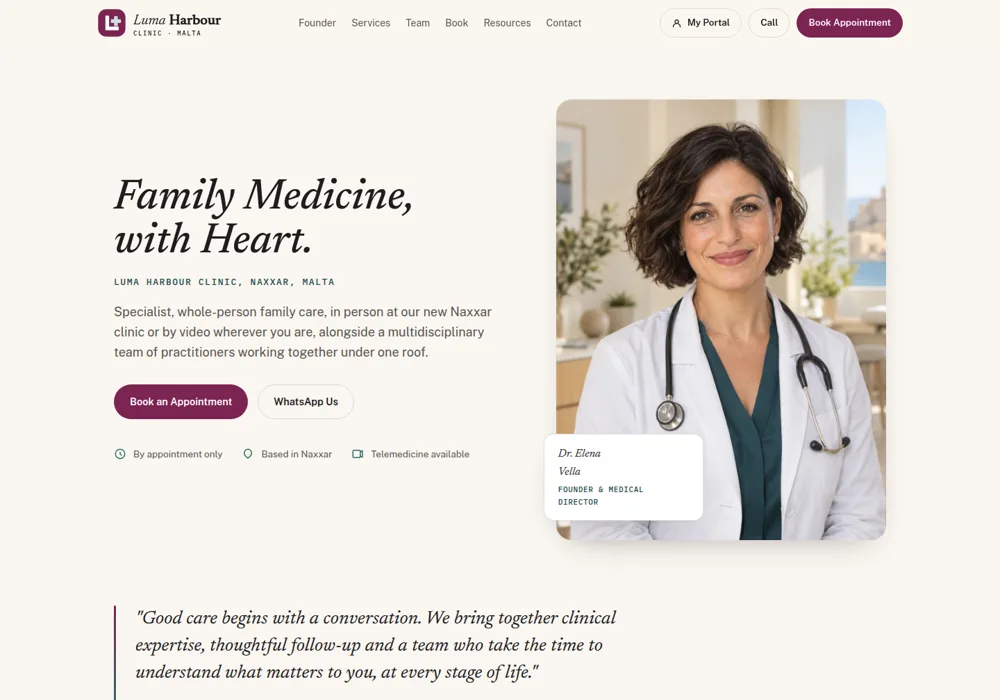
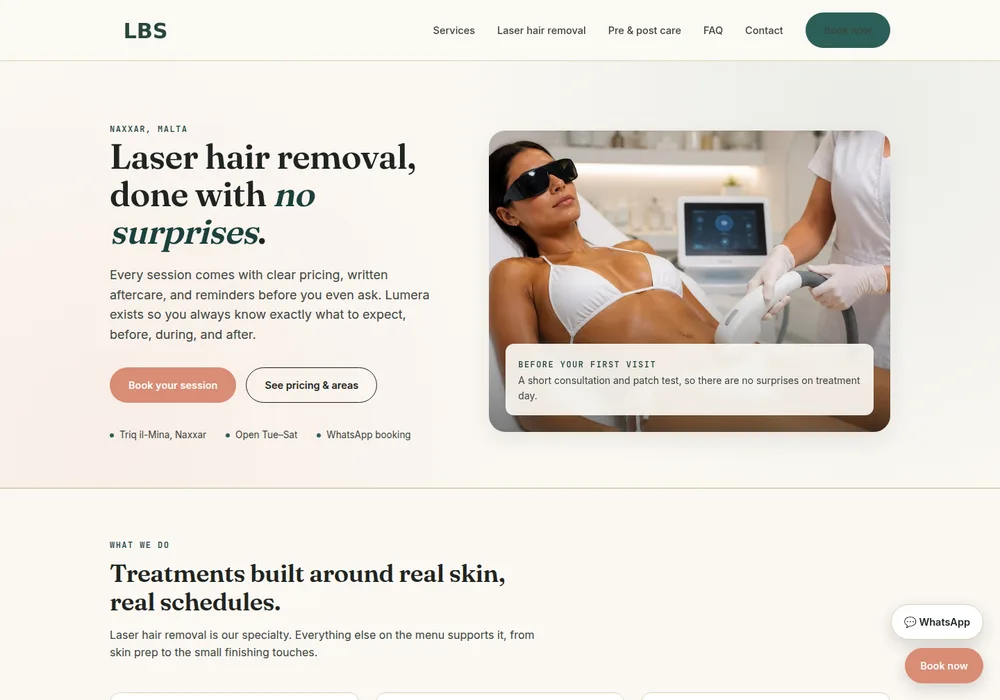
Reminders work best when they come from the same system as the booking, so a change or cancellation updates the diary straight away. These clinic and beauty studio demos show the kind of booking flow reminders are built into.
Want a booking system that sends the reminders for you? Message us on WhatsApp
Confirm and reschedule
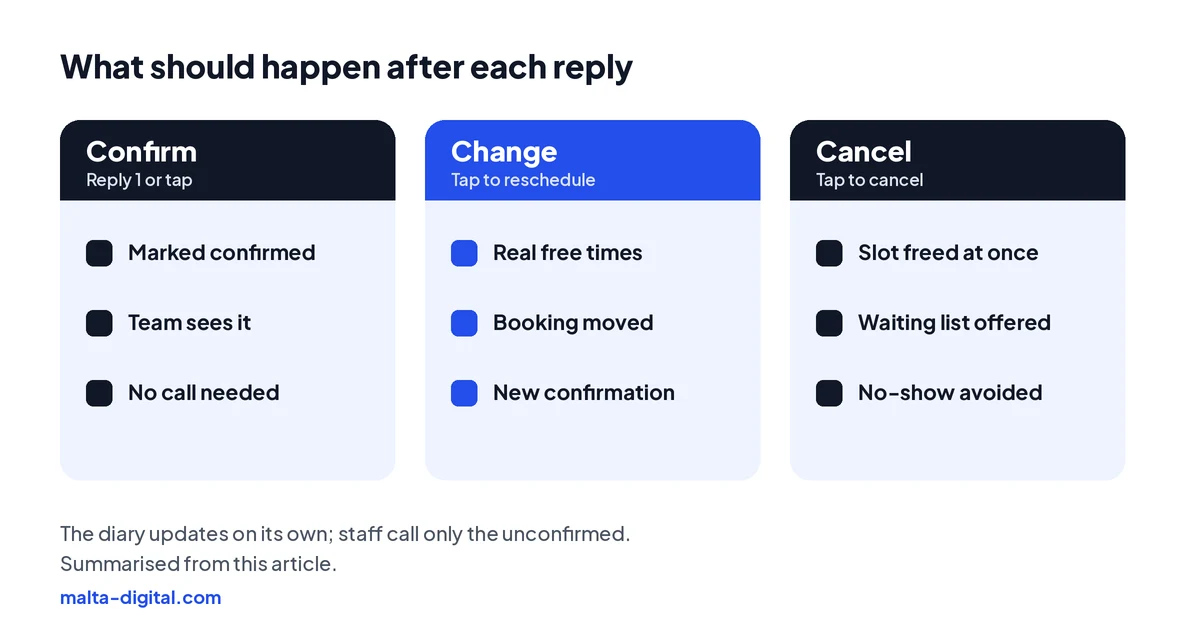
The reminder is only half the system. What happens after the reply matters more. A confirmation should mark the booking as confirmed in your diary, so the team can see at a glance who has not answered. A change should open a page with real free times, not a request to call. A cancellation should free the slot at once and, if you keep a waiting list, offer it to the next person.
Unconfirmed bookings are where the team’s time is best spent. Instead of calling everyone, the receptionist calls only the handful who have not replied by the morning. That turns an hour of calls into ten minutes.
Track the numbers for a month before and after: bookings, confirmations, cancellations, no-shows. If no-shows stay high for one service or one day, that is where a deposit or a stricter policy might be worth it.
Rules and data
Reminders about a booking the customer made are part of providing the service, so you do not need marketing consent to send them. You do need to tell customers, for example in your privacy notice and at booking, how you will contact them. Marketing messages, such as offers and “we miss you” campaigns, are different and need consent.
For clinics and therapists, health data needs extra care. Keep the reminder free of clinical details, limit who can see the diary, and check that any reminder or booking provider stores data securely and signs a data processing agreement. The IDPC is Malta’s data protection authority if you need guidance.
If an AI assistant handles the replies, for example answering “can I come at 11 instead?”, it must say it is an AI, under the EU AI Act’s transparency rules, and hand over to a person when it is unsure.
How we do it
We start with how you book today: which system or diary, which services, how often people do not turn up and how your team confirms now. If your current booking app can send good reminders, we help you set them up properly. If not, or if bookings live in several places, we connect them or build a booking system with reminders, confirmations and rescheduling built in, on the WhatsApp Business Platform, SMS and email.
We write the messages with you, set the timing per service, test every path with real bookings and train the team. Custom booking systems start from €7,500, excluding VAT, and larger projects may qualify for Digitalise your SME co-funding, subject to eligibility and approval. See our case studies for real results from our work.
A few straight answers
Send a confirmation at booking and the main reminder about 24 hours before. Add one at 48 hours for long or high-value appointments, and a short same-day message for easily forgotten slots.
In Malta, WhatsApp usually gets faster replies, but automatic reminders need the official WhatsApp Business Platform and the customer’s agreement. SMS reaches every phone and makes a good fallback.
Yes. A Cochrane review found text message reminders improved attendance at healthcare appointments compared with no reminder, with results similar to phone calls at a lower cost.
Who it is from, the day, time and place, and a one-tap way to confirm, change or cancel. Leave out sensitive details such as the treatment or test.
Reminders about a booking the customer made are part of the service, so marketing consent is not needed. Tell customers how you will contact them; offers and newsletters need consent.
Yes. Most booking systems can send them automatically by WhatsApp, SMS or email. The key is that confirmations, changes and cancellations update the diary without anyone retyping them.
Keep reading
Features that matter, deposits and reminders, client records and privacy, ready-made vs custom.
The free app, the WhatsApp Business Platform, templates, opt-in and connecting to your CRM.

Answering calls, booking appointments and taking messages, with the rules, costs and simpler options.
A useful first step
We set up reminders, confirmations and one-tap rescheduling on WhatsApp, SMS and email, connected to your booking diary. Custom booking systems from €7,500, excluding VAT.