
AI chatbot for business
What a website chatbot should and should not answer, GDPR and the AI Act, costs and how to start.
Systems & automation · WhatsApp AI
A WhatsApp AI chatbot is an assistant that answers customers on your business WhatsApp number in plain language, using your own prices, services and availability, and hands over to a person when needed. To build one properly you need the WhatsApp Business Platform, usually through a provider, not just the free app. Since 15 January 2026 Meta’s terms ban general-purpose AI assistants from the platform, but AI that serves your own customers, such as answering questions, taking bookings and handling orders, is allowed. In Malta, where so many customers already message businesses on WhatsApp, it can save hours a week if it is set up carefully.
Table for 6 tomorrow around 8?
I’m the booking assistant. 19:45 or 20:30 are free. Which suits you?
The short answer
Most businesses in Malta already use WhatsApp for customer chats, often on the owner’s or a manager’s phone. The free WhatsApp Business app can send a greeting, an away message and quick replies, which are fixed texts. A WhatsApp AI chatbot goes further: it reads what the customer wrote, understands it, and writes a fitting answer from your own information, in the customer’s language.
A customer might send “hi do u have a table for 6 tmrw around 8, one is in a wheelchair”. Fixed auto-replies cannot do much with that. An AI assistant connected to your booking diary can check availability, confirm step-free access if that is in your information, offer two times and book the table, then pass the conversation to staff if the customer asks for something unusual.
This article is about that AI layer. For the simpler automation, such as greetings, quick replies and reminders, see our guide to automating WhatsApp messages.
What you need
The free WhatsApp Business app is designed for a person using a phone. It does not offer a way for an outside AI system to read and answer chats on its own, and connecting unofficial tools to it risks the number being banned. Meta has also been adding its own AI features to the Business app in some countries; check what is available on your account before planning around it.
A proper AI chatbot runs on the WhatsApp Business Platform, also called the WhatsApp Business API, usually through a provider. Your number is connected to the platform, the AI reads incoming messages and replies through it, and your team uses a shared inbox to watch and take over. The platform also lets several people answer one number, which matters once more than one person handles chats.
Moving a number to the platform takes some setup, including a Meta business portfolio and a display name that matches your business. Plan it as a small project, not a five-minute switch.
Meta’s 2026 AI rules
In October 2025 Meta changed the WhatsApp Business Solution Terms, with effect from 15 January 2026. Providers of AI technology, such as large language models and general-purpose AI assistants, may no longer use the WhatsApp Business Platform to offer those assistants when the AI is the main thing being offered. That is why public assistants from several large AI companies stopped working on WhatsApp.
For an ordinary business the important part is what is still allowed. Using AI to support your own business, such as customer service, answering questions about your products, taking bookings and handling orders, is permitted, because the AI is there to serve your customers rather than being the product itself. A restaurant’s booking assistant or a shop’s order helper is fine. A “chat with our AI about anything” service is not.
Keep it focused on your business. That is the right design anyway, and it keeps you on the right side of the terms.
How it works
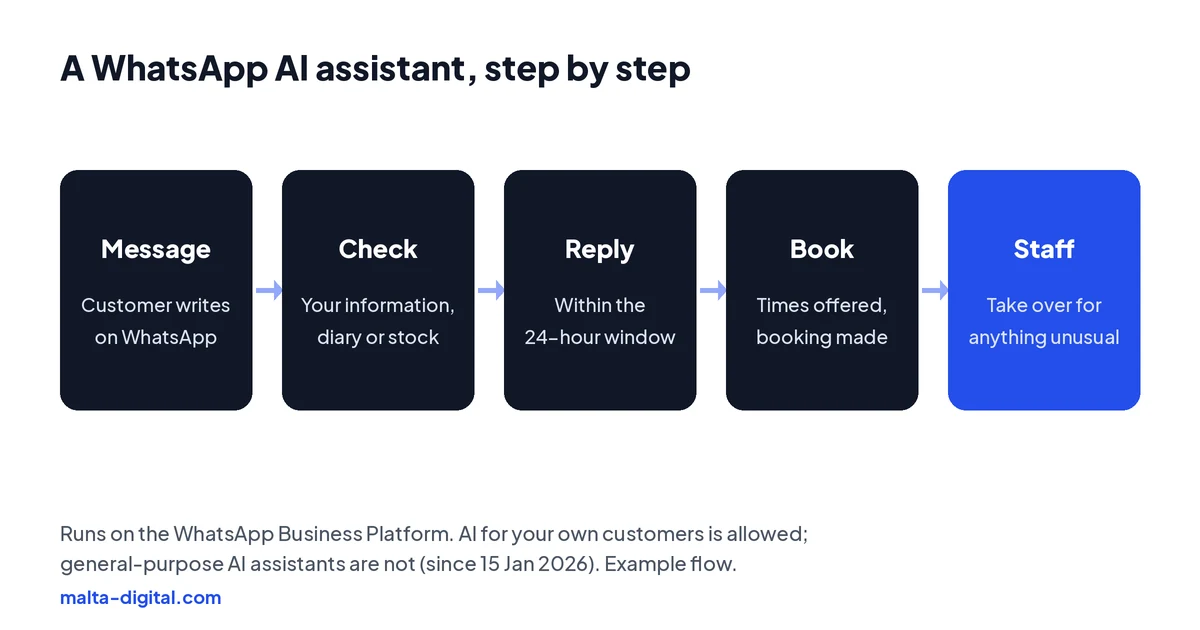
When a customer messages your number, the platform passes the message to the AI. It looks up the answer in your information and, if it is connected, checks your diary, stock or order system. Then it replies, usually within seconds. If the customer wants to book, it offers times; if they want a quote, it asks for the details you need; if they are upset or the question is unusual, it alerts a person.
WhatsApp’s rules shape what the AI can send. When a customer messages you, a 24-hour customer service window opens, and within it you can reply freely. Outside that window, a business can only start a conversation with an approved message template, such as a booking reminder, and only to people who have agreed to receive messages. The AI has to follow the same rules as a person would.
Done well, the customer barely notices the machinery. They get a fast, accurate answer, a booking confirmation, and a person when they need one.
Costs
There are three parts. The provider or system that connects you to the Business Platform and provides the inbox, usually a monthly fee. The AI usage, charged by the amount of text processed, which grows with the number of chats. And Meta’s own WhatsApp charges, which apply per message to certain template messages, such as marketing messages. Replies to customers within the 24-hour customer service window are not charged by Meta.
Chats that start from a click-to-WhatsApp ad can open a longer free window, which matters if you plan to use ads to fill the inbox. Meta’s pricing changes from time to time, so check the current page before you budget, and ask any provider to show its own fees separately from Meta’s.
Compare the total with the time it saves and the enquiries it catches out of hours. For a business answering a handful of chats a day, the free app and good quick replies may be enough. The AI layer pays off when the volume is high or the questions repeat.
Tell us how many chats you get and what people ask. We’ll show you what an AI assistant could answer and book for you.
See it working
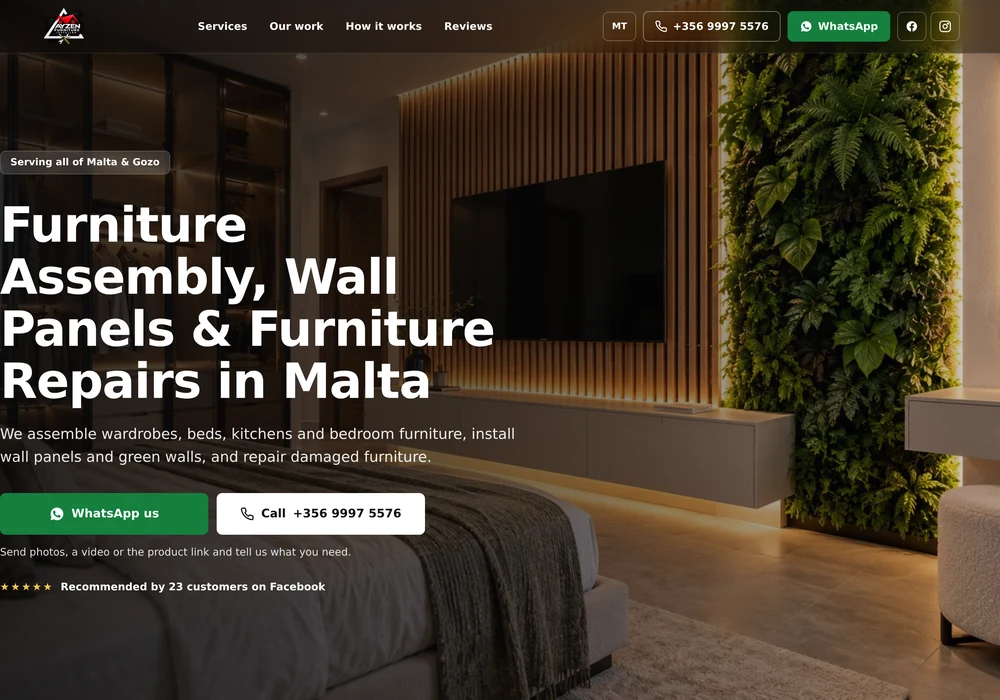
This demo shows a service business where customers book furniture assembly and repairs through WhatsApp, the kind of flow an AI assistant can take over for the routine questions.
Want WhatsApp to answer and book while you work? Message us on WhatsApp
Malta examples
A restaurant in Valletta gets dozens of booking messages each evening; the assistant checks the diary, books the table, asks about allergies and passes large groups to the manager. A car hire company near the airport answers the same questions about deposits, insurance and pick-up in English, Italian and German, and sends a booking link. A clinic lets patients book or move appointments and reminds them the day before, while anything medical goes straight to a person.
A trades business asks for photos and the locality, then sends the enquiry to the right person with everything attached. A shop confirms stock and delivery to Gozo and sends a secure payment link. In each case the AI handles the routine part and the team handles the judgement.
GDPR and honesty
Under the EU AI Act, since 2 August 2026 people must be told clearly, at the start, when they are talking to an AI system rather than a person, unless it is obvious. Put it in the first reply: “Hi, I’m the restaurant’s booking assistant. Type STAFF at any time to talk to a person.”
WhatsApp chats contain personal data, so GDPR applies. Mention the assistant in your privacy notice, collect only what you need, decide how long chats are kept, and use providers with proper data processing agreements. Never take card details in the chat; send a secure payment link. For clinics, be careful with health information and keep medical questions with your staff.
How we do it
We start with your chats: the questions customers send, the answers your team gives and where bookings or orders are recorded. Then we connect your number to the WhatsApp Business Platform through a suitable provider, set up the shared inbox, write the assistant’s knowledge and rules with you, connect it to your booking system or CRM where useful, and add the AI notice and handover. We test it on real phones before it goes live and review chats with you in the first weeks.
We quote after a short call, once we know your chat volume and what the assistant needs to connect to. Our AI automation page explains the rest of our work in this area.
A few straight answers
An assistant on your business WhatsApp number that understands customers’ messages, answers from your own information, books or quotes, and hands over to staff when needed.
Not properly. Outside AI systems connect through the WhatsApp Business Platform (API). Unofficial tools on the app risk the number being banned.
Yes, for your own business, such as customer service, bookings and orders. Since 15 January 2026, general-purpose AI assistants offered as the main product are banned from the Business Platform.
You pay a provider or system, the AI usage, and Meta’s per-message charges for some template messages. Replies within the 24-hour customer service window are not charged by Meta.
Yes. The EU AI Act requires clear notice at the start of the conversation unless it is obvious. Put it in the first reply.
Automation sends fixed messages such as greetings and reminders. An AI chatbot understands free text and writes answers, so it can handle questions the rules never anticipated.
Keep reading
What a website chatbot should and should not answer, GDPR and the AI Act, costs and how to start.

Answering calls, booking appointments and taking messages, with the rules, costs and simpler options.

What an AI agent is, how it differs from a chatbot, practical examples, risks and a safe first job.
A useful first step
We connect your number to the Business Platform, build the assistant around your information and keep your team one tap away.