
Quote and invoice automation
Quotes from your price list in minutes, follow-ups on open quotes, invoices on acceptance, payment reminders, VAT and e-invoicing.
Systems & automation · Job scheduling
Job scheduling software puts every job, technician and van on one live board: the office books and assigns jobs, each technician sees their day on a phone with addresses, notes and job sheets, the customer gets a message when someone is on the way, and finished jobs turn into invoices without retyping. For electricians, plumbers, AC technicians, cleaners, pest control, solar installers and other field service businesses in Malta and Gozo it replaces the WhatsApp groups, wall planners and paper job sheets that cause missed visits and late invoices. Most small teams can start with a ready-made app; custom pays off when your jobs, crews or pricing do not fit one.

Job scheduling software puts every job and technician on one live board, gives technicians their day, job sheets and photos on a phone, sends customers on-the-way messages and turns finished jobs into invoices. Malta Digital sets up ready-made job apps when they fit and builds custom job scheduling systems for trades and field service businesses in Malta and Gozo when they do not.
The short answer
At its core, job scheduling software is a shared diary for work that happens at the customer’s place. Each job has a customer, an address, a time window, the work to do and who is doing it. The office sees the whole team on one board, by day or week, and can move jobs between people with a drag. Each technician sees only their own jobs, in order, on their phone.
Good systems go further. Technicians fill in a job sheet on the phone, tick a checklist, add photos before and after, record parts used and get the customer to sign. The customer gets a confirmation when the job is booked, a reminder the day before and an “on the way” message. When the job is done, the office can send the invoice straight away, built from the same job.
The point is fewer phone calls and fewer things falling between the cracks. The office stops ringing technicians to ask where they are, technicians stop calling the office to ask for the address, and the owner can finally see which jobs were done, which were not and what has been invoiced.
The problem
Many trades businesses in Malta run on the owner’s phone. Jobs arrive by call, WhatsApp and Facebook messages, get written in a diary or a wall planner, and go out to the team as WhatsApp messages with a pin and a voice note. It works with two people. With five technicians and two vans it turns into a constant stream of calls: “what’s the address?”, “did anyone go to the job in Naxxar?”, “which filter did you fit?”.
The losses are real even if nobody counts them. A job booked in the diary but never sent to anyone. A customer in Żebbuġ waiting all morning because nobody told them the technician was stuck in traffic. A paper job sheet left in the van for two weeks, so the invoice goes out late and gets paid later. Annual services that nobody reminds the customer about, so the work goes to someone else.
Malta adds its own twists. Traffic through Msida, Marsa or the Coast Road can swallow an hour, so a day planned without travel time falls apart by 11:00. Jobs in Gozo need the ferry built in. And in summer, AC breakdowns and pool problems arrive all at once, exactly when the team has no time to manage messages.
How it works
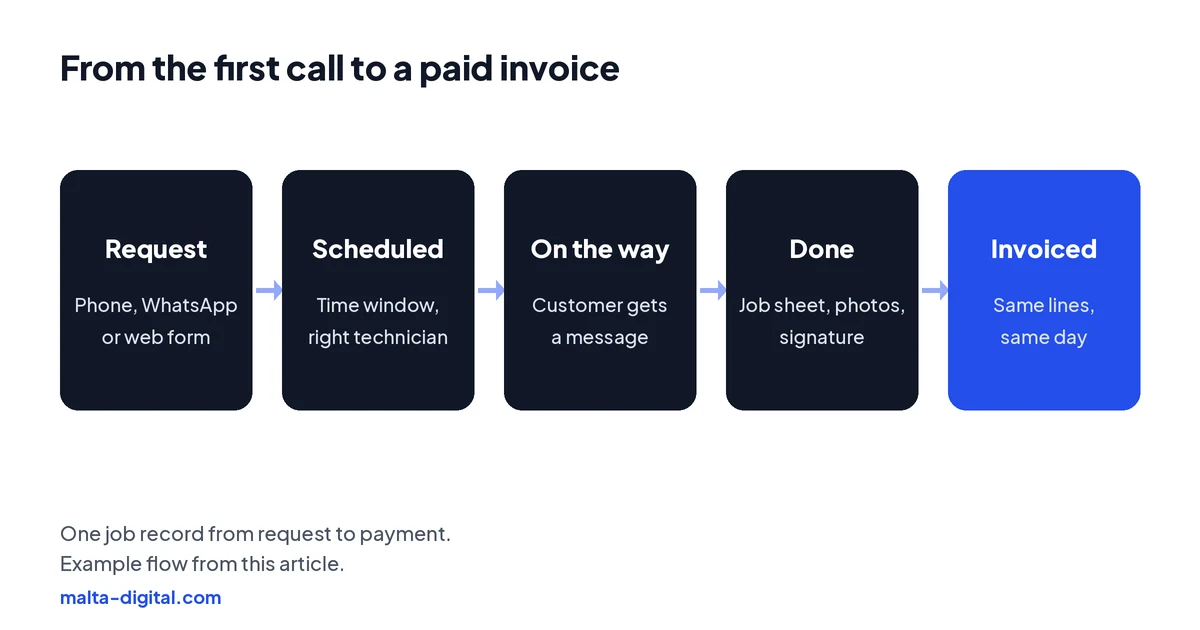
The job starts wherever the customer contacts you. Calls, WhatsApp messages and web form requests all become a job with the customer’s details, address, the problem and any photos they sent. If you quote before you work, the quote lives on the same job, and our guide to quote and invoice automation covers that step.
The office schedules the job in a time window, such as “Tuesday morning”, and assigns it to the right person, based on skills, area and who is free. The board shows each technician’s day with travel between jobs, so you can see at a glance when a day is overbooked. The customer gets a confirmation with the window, a reminder the day before and a message when the technician sets off.
On site, the technician opens the job on their phone: address with a map link, access notes, the customer’s history and what to bring. They complete the checklist, take photos, record parts and time, and get a signature. The moment they close the job, the office sees it as done and can send the invoice, with the same lines, the same day.
Features that matter
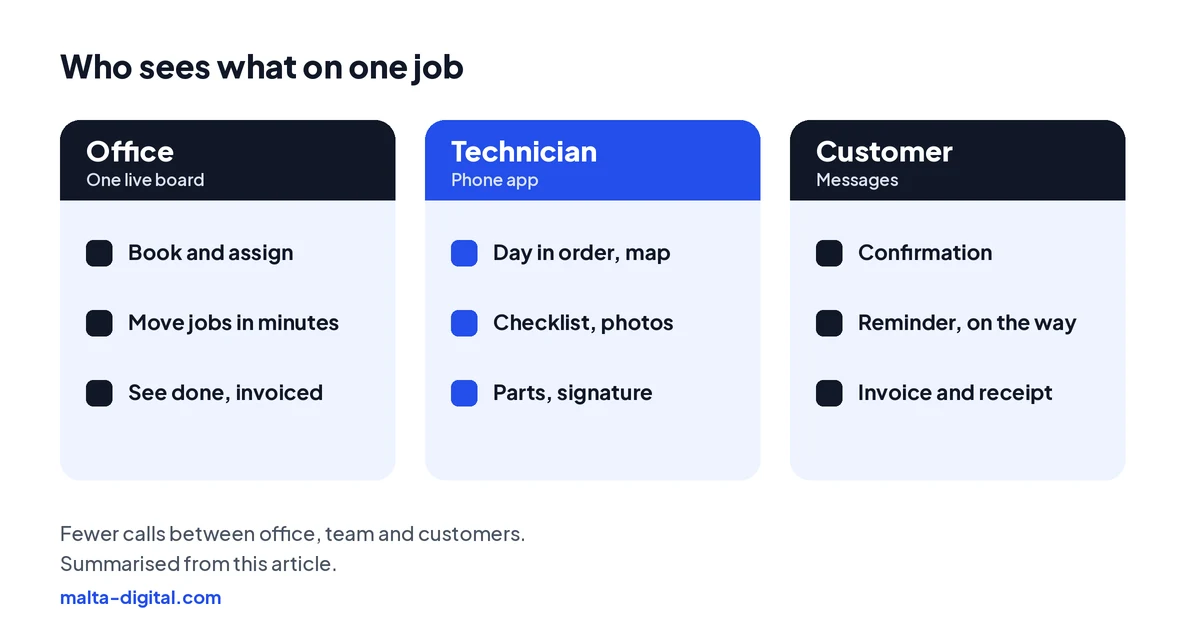
A board the office can trust. Day and week views by person or van, drag-and-drop rescheduling, time windows rather than exact times, and clear colours for booked, in progress, done and invoiced. When a technician calls in sick, the office should be able to move their jobs in minutes and the affected customers should be told automatically.
A technician app that works on a building site. Simple screens, big buttons, works with a weak signal and syncs later, and lets technicians add photos and notes without typing essays. If the app is annoying, technicians will go back to WhatsApp and the system will quietly die.
Recurring jobs. AC servicing, pest control visits, pool maintenance, cleaning contracts and lift or fire equipment checks repeat on a schedule. The system should create them automatically, remind the customer and keep the history of every visit, which is also what wins the contract renewal.
Job sheets, parts and invoices. Custom checklists per job type, parts used from a price list, time on site, before and after photos and the customer’s signature, all turning into the invoice. That alone usually shortens the time between finishing a job and getting paid.
See it working
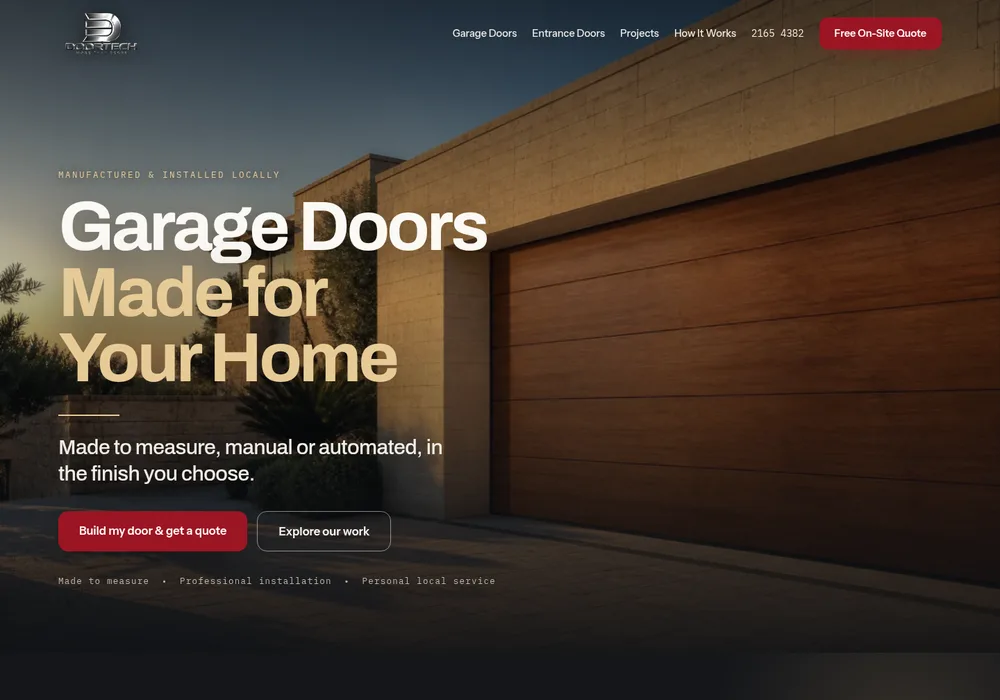
Scheduling starts with how the job is requested. These demos show a furniture assembly and repair service booked straight through WhatsApp, and a made-to-measure product site with a project gallery and a quote builder, the front end a job system connects to.

Want a booking and job system like this for your team? Message us on WhatsApp
Apply now and tell us how you book and dispatch jobs today. We’ll show you which steps we’d move onto one board first, or message us on WhatsApp.
Ready-made or custom
There is plenty of ready-made job scheduling and field service software, usually charged per user per month, and some is made for small Maltese teams. For a business with standard jobs, a few technicians and simple pricing, it is often the right choice. Before you commit, test the technician app with your team for a week, check whether it handles your job sheets and recurring work, and see whether it connects to your accounting software.
A custom system makes sense when your operation does not fit a template: several crews with different skills and vehicles, jobs that need equipment or capacity planning, multi-day installations, trade customers with contracts and monthly invoicing, or tight links to your stock, CRM and accounts. It also makes sense when you want the customer side, such as online booking or a customer portal, to work exactly the way your business does. Custom business systems from Malta Digital start from €7,500, excluding VAT, and larger projects may qualify for Digitalise your SME co-funding, subject to eligibility and approval.
Start small either way. Get the board, the technician app and the invoice right first; add route planning, stock and customer portals once the team uses it every day.
| WhatsApp and a wall planner | Ready-made job app | Custom job system | |
|---|---|---|---|
| Best for | One or two people | A few technicians with standard jobs | Several crews, multi-day installs, contracts, stock and deep connections |
| Technician view | Messages, pins and voice notes | Phone app with jobs, job sheets and photos | App built around your job types and checklists |
| What to check | How many jobs slip through | Test the technician app for a week; recurring jobs; accounting link | Scope, ownership and support terms in the proposal |
| Price | Missed visits and late invoices | Per user per month | From €7,500, excluding VAT; may qualify for Digitalise your SME co-funding |
Rules and data
Customer names, addresses, phone numbers and photos of their homes are personal data under GDPR. Keep them in the system, not in technicians’ personal WhatsApp chats and camera rolls, limit who can see what, and say in your privacy notice how you use them.
Many job apps can show where technicians are. Location tracking of employees needs a clear purpose, such as dispatching the nearest technician, staff must be told how it works, and it should stop outside working hours. The IDPC, Malta’s data protection authority, publishes guidance on monitoring employees; read it before you switch tracking on.
AI can help in sensible places: reading a WhatsApp request and drafting the job, suggesting which technician fits, or summarising a technician’s voice note into the job sheet. Keep a person approving the schedule, and if an assistant talks to customers, the EU AI Act requires it to say it is an AI.
How we do it
We start by following one real job from the first call to the paid invoice, with the person who books jobs and one of your technicians. That shows where time is lost: taking requests, planning the day, finding information on site, or getting paper back to the office. Then we recommend the simplest setup that fixes it. Often that is a ready-made app, set up properly with your job types, checklists and messages, and connected to your website, WhatsApp and accounting.
When a ready-made app does not fit, we build a custom job system around your crews, vans, job types and pricing, test it on real jobs and train the team, starting with the technicians. See our case studies for real results from our work, and our business systems page for how projects are priced.
A few straight answers
Software that puts every job, technician and van on one live board, gives technicians their day and job sheets on a phone, updates customers automatically and turns finished jobs into invoices.
Electricians, plumbers, AC and solar technicians, cleaners, pest control, pool maintenance, appliance repair, installers and any business whose work happens at the customer’s place.
Yes. A good technician app shows the day’s jobs, addresses, notes and checklists, lets them add photos, parts and signatures, and works with a weak signal.
Yes. Recurring jobs can be created automatically on a schedule, with a reminder to the customer and a history of every visit.
Many apps can, but employee location tracking needs a clear purpose, staff must be informed, and it should stop outside working hours. Check the IDPC’s guidance first.
Malta Digital’s custom business systems start from €7,500, excluding VAT. For a small team with standard jobs, a ready-made app set up properly is often enough.
Keep reading
Quotes from your price list in minutes, follow-ups on open quotes, invoices on acceptance, payment reminders, VAT and e-invoicing.

Reply to every enquiry in minutes, follow up on a schedule that stops when they book, and use AI only where it helps.

Quote requests from Meta ads: real job photos, seasonal offers, lead forms that ask the locality and job, the housing category for repairs and fast call-backs.
A useful first step
We set up or build your job scheduling, with a technician app, customer messages, recurring jobs and invoices from finished work, connected to your accounts. Custom systems from €7,500, excluding VAT.