Quote and Invoice Automation for Small Businesses in Malta
How small businesses in Malta automate quotes, invoices and payment reminders: quotes in minutes, follow-ups, invoices on acceptance and payment links.
Systems & AI · Documents
Malta Digital builds AI automation for businesses in Malta, and the most common request is simple: “stop us typing the same documents into the system”. Supplier invoices, receipts, delivery notes, application forms and ID copies arrive by email, WhatsApp and paper every day. This guide shows how AI reads them, where a person must stay in charge, the rules that apply here, and a free calculator for your own numbers.
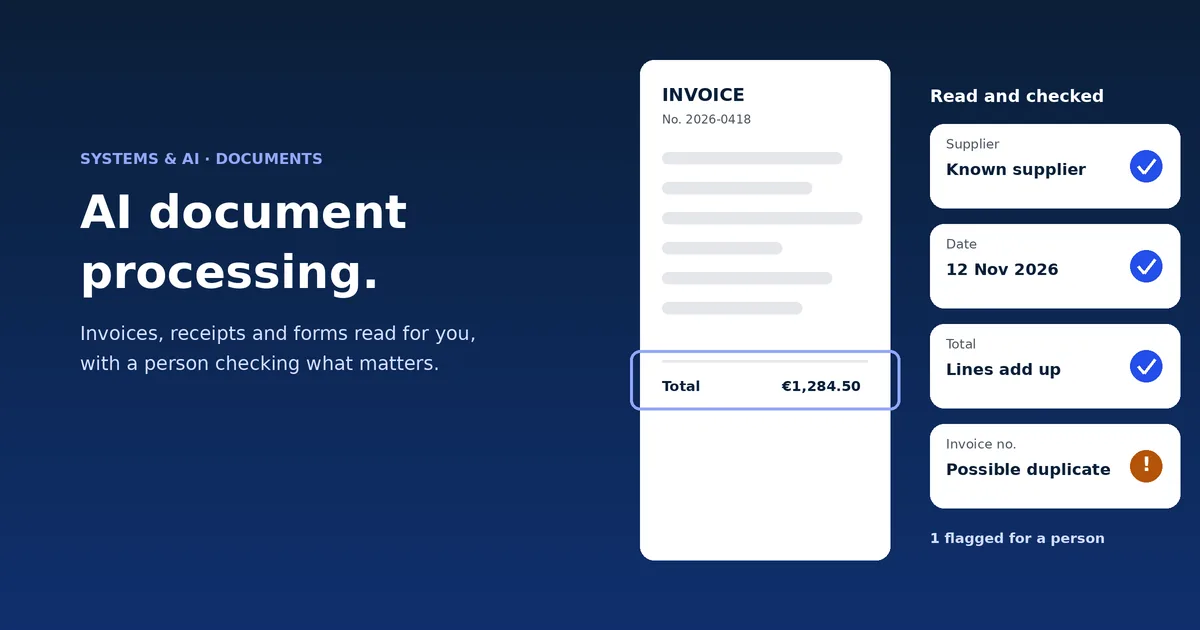
AI document processing reads a document, pulls out the fields you need (supplier, date, totals, line items, names, expiry dates), checks them against simple rules and sends them to your accounting software, CRM or system. Clear documents go straight through. Anything unclear, such as a blurry photo or totals that do not add up, goes to a person to check. Most small businesses in Malta start with supplier invoices. Malta Digital builds these systems around your own documents and software, from €7,500.
The short version
Every document job has the same four steps. Capture: the document arrives, from a mailbox, an upload page or a phone photo. Read: software turns the image into text and finds the fields you care about. Check: rules test the result, for example that the lines add up to the total. Route: clean results go into your system, and doubtful ones wait for a person.
Older scanning software (called OCR, optical character recognition) only turned pictures into text, and needed a fixed template for each supplier. AI models read the layout the way a person does, so a new supplier’s invoice usually works on day one.
The goal is not zero people. It is changing the job from “type this invoice” to “confirm these five fields”, which takes seconds instead of minutes.
Malta data
Eurostat, the EU statistics office, asks firms with 10 or more staff which AI they use. In 2025, 12.0% of Maltese firms used AI to analyse written text, just above the EU’s 11.8%, and 7.0% used AI to automate workflows, against 5.4% in the EU.
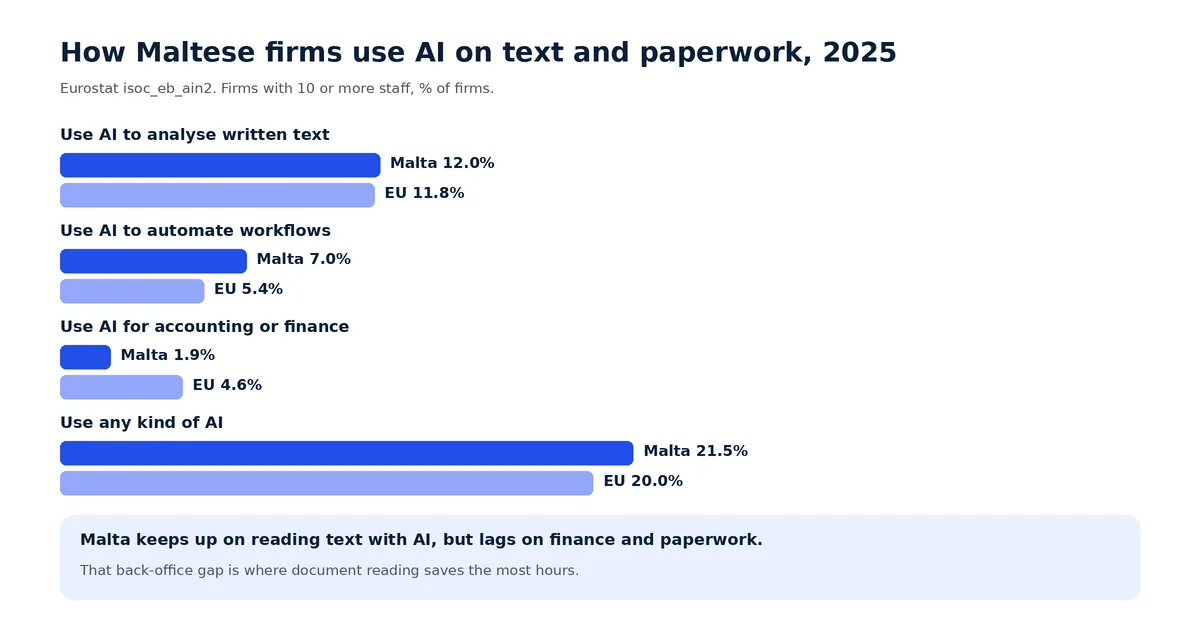
The gap is in the back office. Only 1.9% of Maltese firms used AI for accounting, controlling or finance, against 4.6% across the EU. That is the work where document reading saves the most hours, so it is where a small business can still get ahead.
Which documents
Start with documents that arrive often, look roughly the same and end up typed into a system. These six cover most small businesses.
| Document | What AI pulls out | Where it goes | What a person checks |
|---|---|---|---|
| Supplier invoices | Supplier, number, date, due date, line items, totals | Accounting software, ready to approve | Anything flagged: new supplier, totals that do not add up, possible duplicate |
| Receipts and expense claims | Shop, date, amount, category, who paid | Expense records against the right person | Unreadable photos and anything outside the expense policy |
| Delivery notes and orders | Items, quantities, order number | Matched to the purchase order and the invoice | Short or extra quantities |
| Application and enquiry forms | Names, contact details, answers, signatures | A new record in your CRM or system | Missing answers, before anyone decides |
| ID cards, passports, permits | Name, number, expiry date | The customer or staff record, with a reminder before expiry | That the photo matches, and every onboarding decision |
| Contracts and agreements | Parties, start and end dates, renewal and notice dates | Reminders in your calendar or CRM | The meaning of each clause, always |
Supplier invoices come first for most firms, because they arrive every day and every one is typed in. If your quotes and invoices going out are the problem instead, read our guide to quote and invoice automation.
Apply now and tell us which documents eat your week. We reply with what we would automate first and what it would cost.
Free tool
Put in how many documents of each kind arrive a month and how long each takes to type in. The calculator works out the hours you spend now, the hours left if AI reads the documents and a person checks the doubtful ones, what that time is worth and a rough payback. Nothing you type leaves this page.
Starting numbers match the worked example below. Replace them with yours.
Your result appears here as you type.
How it works
Three numbers tell you if it works: the share that goes straight through, the errors found after checking, and the minutes per document. Measure them in the first month and again in the third.
The rules
The GDPR applies to most documents. Invoices from sole traders, receipts, forms and ID copies hold personal data. Collect only the fields you need, decide how long you keep them, and sign a data processing contract with every software supplier, as Article 28 of the GDPR requires. Check where the documents are stored and processed.
No important decisions by machine alone. Article 22 of the GDPR limits decisions made only by software that seriously affect a person. AI may read an application and flag what is missing. A person decides whether to approve or refuse it.
The GDPR comes first. Malta’s data protection regulator, the IDPC, says that when AI handles personal data the GDPR applies alongside the EU AI Act and takes precedence. Our guide to GDPR and AI chatbots explains notices, retention and contracts in more detail.
Train the people who use it. Article 4 of the EU AI Act asks businesses that use AI to take steps so their staff understand it. For document reading that means a short session: what the AI does, how to read the confidence score and when to reject a result.
Due diligence stays with people. If you are a subject person under Malta’s anti-money laundering rules, AI can check an ID copy is complete and in date, but it cannot judge risk for you.
Worked example
Here is an example business, not a client: a distributor with 20 staff, two of them in accounts. These are the calculator’s starting numbers.
| Document | A month | Minutes each by hand | Hours a year now | Hours a year with AI |
|---|---|---|---|---|
| Supplier invoices | 600 | 4 | 480 | 114 |
| Receipts and expense claims | 150 | 3 | 90 | 29 |
| Forms and other documents | 80 | 6 | 96 | 15 |
| Total | 830 | 666 | 158 |
At €18 an hour, the 508 hours are worth about €9,150 a year. A €7,500 system would pay for itself in about ten months. Just as important, invoices are entered on the day they arrive, so month-end closes sooner.
Your options
Scanning inside your accounting software. Many accounting packages read supplier invoices and receipts. If that is your only document type and it works well, use it. It costs little and needs no project.
A ready-made document tool. Stand-alone tools read invoices for many accounting packages. They suit firms whose documents are standard and whose software is supported.
One system built around your documents. This fits when documents feed more than accounting: forms that create a customer in your CRM, ID checks for onboarding, delivery notes matched to orders, documents with expiry dates to track. We build one flow with your rules and your review screen, connected to the systems you already use. See how this sits inside wider business process automation, more AI automation examples, or our business systems service.
Before any of these, ask whether the document needs to exist at all. A well-built online form gives you clean data with nothing to read. For practices with heavy document flows, see our guide to a CRM for accountants.
Step by step
Proof
For a childcare agency we built one platform where nannies apply and upload their documents. The office does not hunt for files. Every new document lands in a “needs action now” queue to verify, and documents that will expire soon rise to the top before they lapse. That queue, with the original next to the fields and a person approving, is exactly where AI reading fits: it fills in names and expiry dates and flags what is missing, and the office signs off. The platform is new, so we do not claim results yet.

Want a document queue like this for your business? Apply now
A few straight answers
Software that reads documents such as invoices, receipts, forms and ID copies, pulls out the fields you need, checks them against rules and sends them to your systems. Unclear documents go to a person.
Clear, digital invoices are usually read very well. Blurry photos, handwriting and unusual layouts cause most errors. That is why every result gets a confidence score and doubtful ones go to a person.
Yes, most modern models read Maltese text and Maltese invoice layouts. Test with 50 of your own documents before you rely on it, and keep a person checking at first.
It can be. Collect only the fields you need, set how long you keep documents, sign a data processing contract with each supplier and keep important decisions with people.
Scanning inside your accounting software may cost little extra. Malta Digital builds custom document flows connected to your own systems from €7,500, with a written quote first.
The one that arrives most often and is typed in by hand. For most small businesses that is supplier invoices, then receipts, then forms.
No. It removes the typing. Staff spend their time checking flagged documents, chasing suppliers and closing the month sooner.
Sources
Keep reading
How small businesses in Malta automate quotes, invoices and payment reminders: quotes in minutes, follow-ups, invoices on acceptance and payment links.
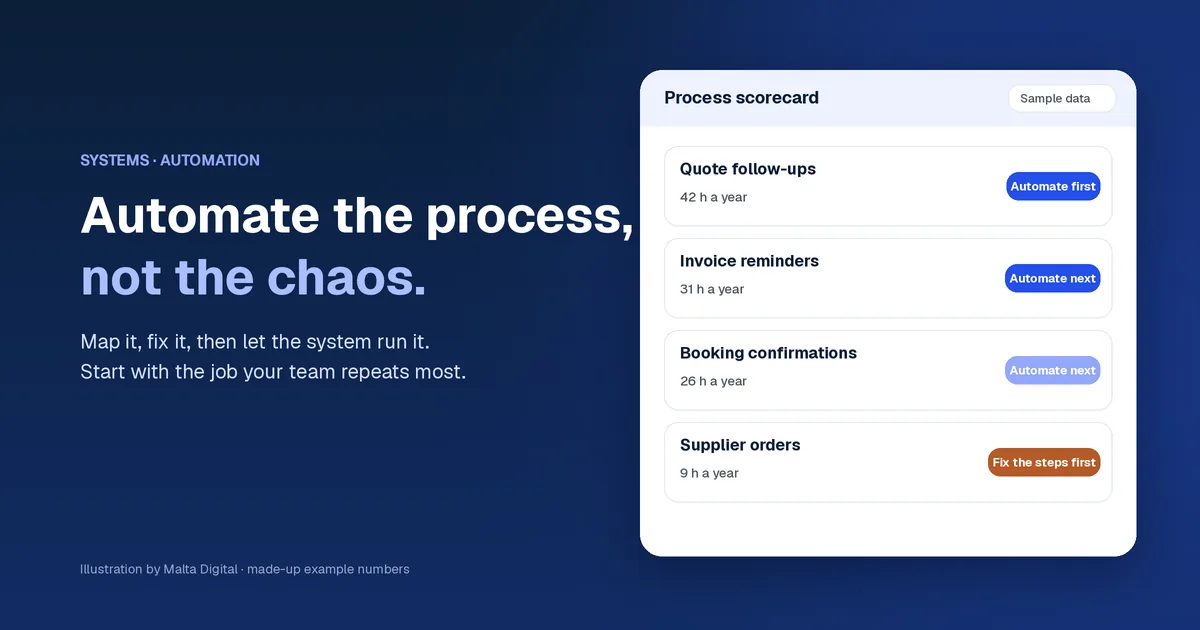
How a Malta SME picks the first process to automate, maps it, fixes it and connects its tools. Real Malta data, a free process scorer and worked examples.

Twelve real-life AI automation examples for small businesses: enquiries, bookings, documents, quotes, follow-ups and reports, and where AI is not the answer.
A useful first step
Tell us which documents arrive most, how they reach you and which software they end up in. We reply with the first flow we would automate, how it would work and what it would cost.
Step 1 of 3
A few quick questions, about a minute. We usually reply within 2–3 hours.