
Meta and Facebook Lead Ads: How They Work and Setup
How Meta and Facebook lead ads work: instant forms on Facebook and Instagram, setup, testing, where leads go and how Malta businesses reply fast enough to win.
Facebook & Instagram ads · Leads
Wrong numbers, people who never asked, and names like “asdf” are common with Facebook lead ads. Most are not bots. They come from forms that are too easy and settings that chase volume. Malta Digital sets lead ads up to filter them out, in Meta ads management from €1,249 a month plus ad spend.
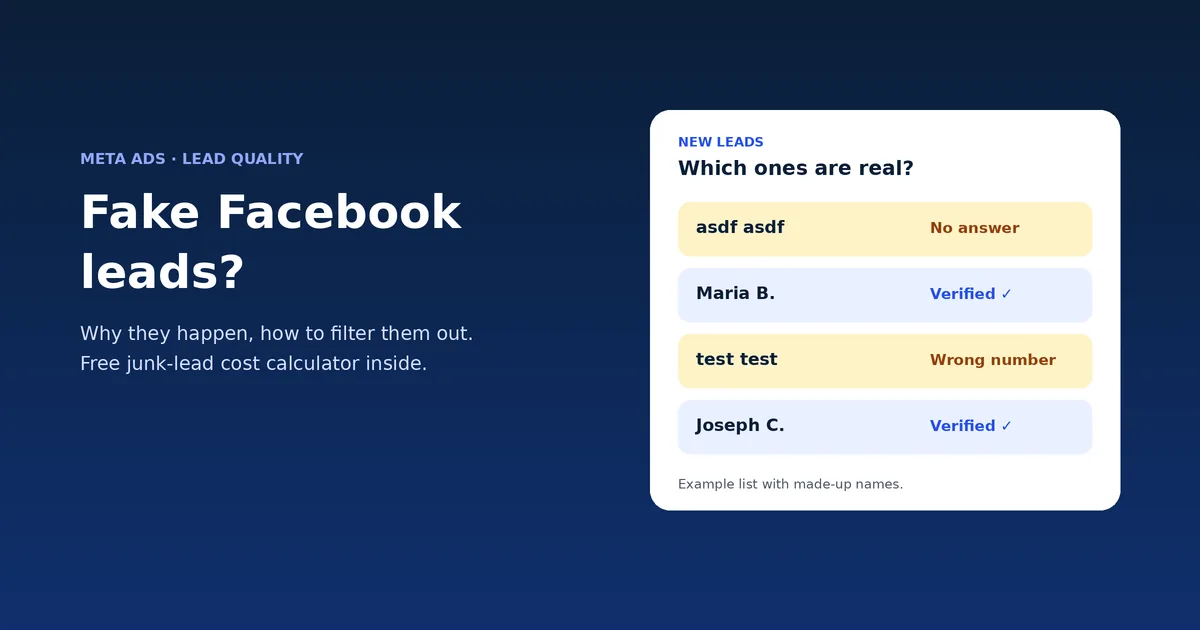
Most “fake” Facebook leads are people who tapped through a quick form without meaning it, plus some spam. Fix it with a Higher intent form, required SMS verification of the phone number, one or two qualifying questions, and the qualified leads goal with your CRM connected. Then call fast. Malta Digital sets this up in Meta ads management in Malta.
The problem
A fake lead is any form submission that was never going to become a customer. In practice it falls into three groups. Accidental leads come from people who tapped through a prefilled form without reading. Wrong details come from old numbers saved on their account. Real spam comes from bots and bad actors.
In Malta the first group is by far the largest. A form that takes three taps, a vague offer like “win” or “free”, and a campaign told to get as many leads as possible will collect a lot of people who did not mean it. When you call, they do not remember you.
The good news: most of this is fixable in the setup, before you spend more. Our guide to Facebook lead ads covers the basics of building the form.
Why it happens
Meta’s default form type is More volume, which Meta says is designed to make the form quick to submit on mobile and to generate a larger number of leads. That is exactly what it does, for better and worse.
The performance goal matters too. If the campaign is told to maximise the number of leads, Meta shows your ad to the people most likely to fill in forms, which is not always the same as the people most likely to buy. Meta’s own help page says that campaigns using the qualified leads goal with a CRM connection saw 21% lower cost per quality lead than those maximising lead volume.
Finally, the offer. Giveaways and “get a free quote in 10 seconds” headlines invite low-effort taps. A clear price, a real photo and a line that says who the offer is for make people stop and think before they submit.
| Type of bad lead | Usual cause | Fix |
|---|---|---|
| Does not remember enquiring | Quick prefilled form, vague offer | Higher intent form, clearer offer |
| Wrong or dead phone number | Old number saved on the account | Required SMS verification |
| Spam names and bot entries | Bots and bad actors | SMS verification; check placements |
| Real person, not a buyer | Goal set to maximise lead volume | Qualified leads goal plus CRM data |
| Was interested, now cold | Slow follow-up | Call or message within the hour |
The fixes
1. Switch to a Higher intent form. It adds a review screen so people confirm their details, and a line saying you may follow up. 2. Require SMS verification. Meta can ask people to verify their mobile number with a one-time code sent by SMS or WhatsApp before they submit. Meta says this filters out fake leads such as spam bots and bad actors, and landlines cannot pass it.
3. Add one or two custom questions that a serious buyer answers easily, such as the town, the job or the budget range. Keep it short, or real buyers drop off too. 4. Use the qualified leads goal and send lead outcomes back through the Conversions API for CRM, which Meta now requires for that goal on new campaigns.
5. Write an honest intro and offer. Say the price range or the next step. 6. Follow up within the hour, and download or sync leads regularly: Meta only keeps form leads available for download for 90 days.
Apply now. We will check your form, goal and follow-up and show you what is letting junk in.
Free tool
Ads Manager counts every form as a lead, junk included. Enter what you spent, how many leads came in and roughly what share were junk, to see your real cost per lead. Then tick the settings you already use. Nothing leaves this page.
Example numbers below. Replace them with yours.
This tool needs JavaScript. The maths: spend ÷ (leads × share that were real).
Tick what your lead ads already use. Settings from Meta’s help pages, opened 9 November 2026.
This checklist needs JavaScript.
When it is still bad
If you still see a lot of junk after these changes, look at the ad itself. Check comments and the placements where leads come from, and pause any ad that brings many leads but no bookings. Sometimes one cheap-looking ad brings most of the problem.
Look at your follow-up too. A lead you call two days later often looks “fake” because they forgot you or already bought elsewhere. In Malta, where people often ask two or three businesses at once, speed decides a lot. Our lead response time checker shows how fast you really reply.
If forms keep failing for your offer, try a landing page instead. Compare the two in our lead form vs landing page guide.
Proof
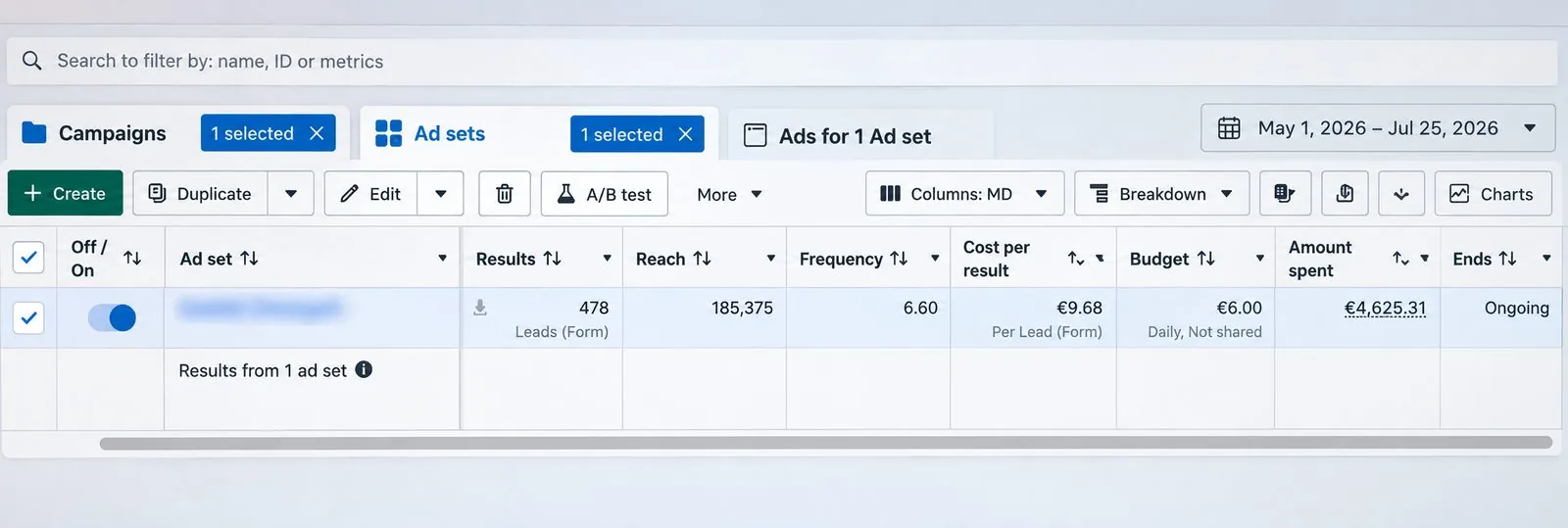
In a lead campaign we ran with an instant form, Meta recorded 478 leads at €9.68 each between 1 May and 25 July 2026. Leads are enquiries, not sales. The number that matters is how many become customers, which is why we track each lead past the form.
A few straight answers
Mostly because quick, prefilled forms and a goal set to maximise leads attract people who tap without meaning it. Some are spam. Better form settings fix most of it.
Use a Higher intent form, require SMS verification of the phone number, add a qualifying question, use the qualified leads goal and follow up fast.
A Meta setting that makes people verify their mobile number with a one-time code, sent by SMS or WhatsApp, before the form can be submitted.
Some are, but most are real people who submitted by accident or left old details. That is why both verification and a clearer form help.
Often, yes. Each lead may cost more, but cost per real customer usually falls because you stop paying for junk.
Yes. We rebuild the form, goal and follow-up, and judge results on customers. Meta ads management starts from €1,249 a month plus ad spend.
Sources
Keep reading
How Meta and Facebook lead ads work: instant forms on Facebook and Instagram, setup, testing, where leads go and how Malta businesses reply fast enough to win.
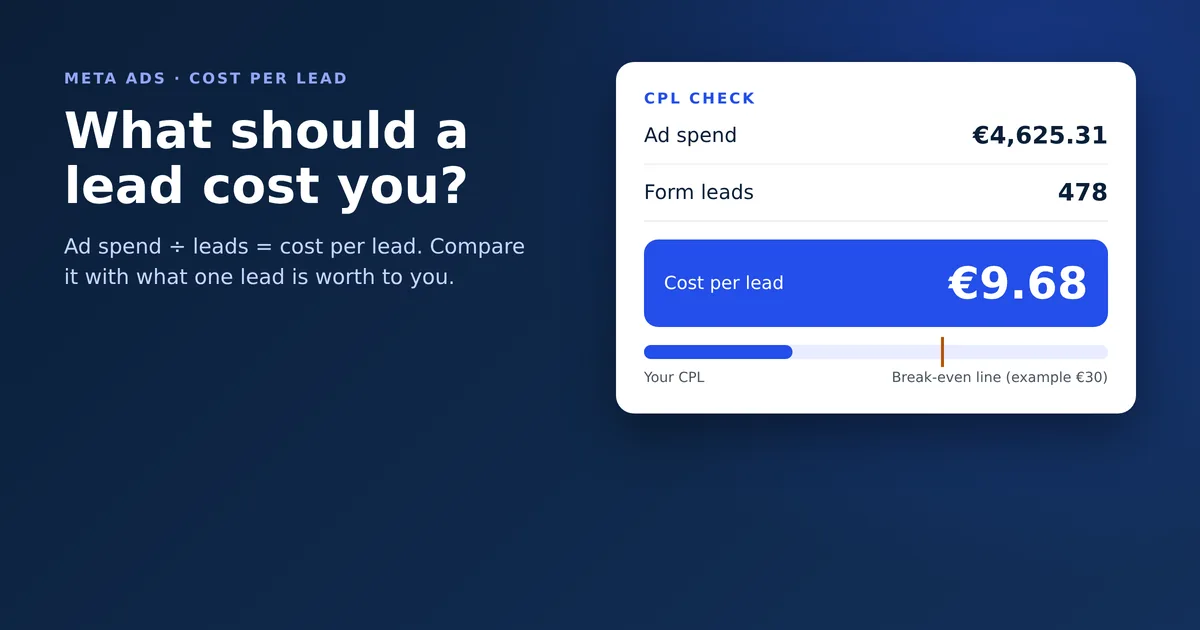
Facebook ads cost per lead in Malta: how to work it out, a real €9.68 example, the most you can afford to pay, and a free calculator for your own numbers.

How to automate lead follow-up in Malta: instant WhatsApp and email replies, one lead list, a follow-up schedule, where AI helps and what to keep human.
A useful first step
We set up verified, qualified lead forms and fast follow-up, then judge everything on customers. Meta ads management from €1,249 a month plus ad spend.
Step 1 of 2
A few quick questions, about a minute. We usually reply within 2–3 hours.