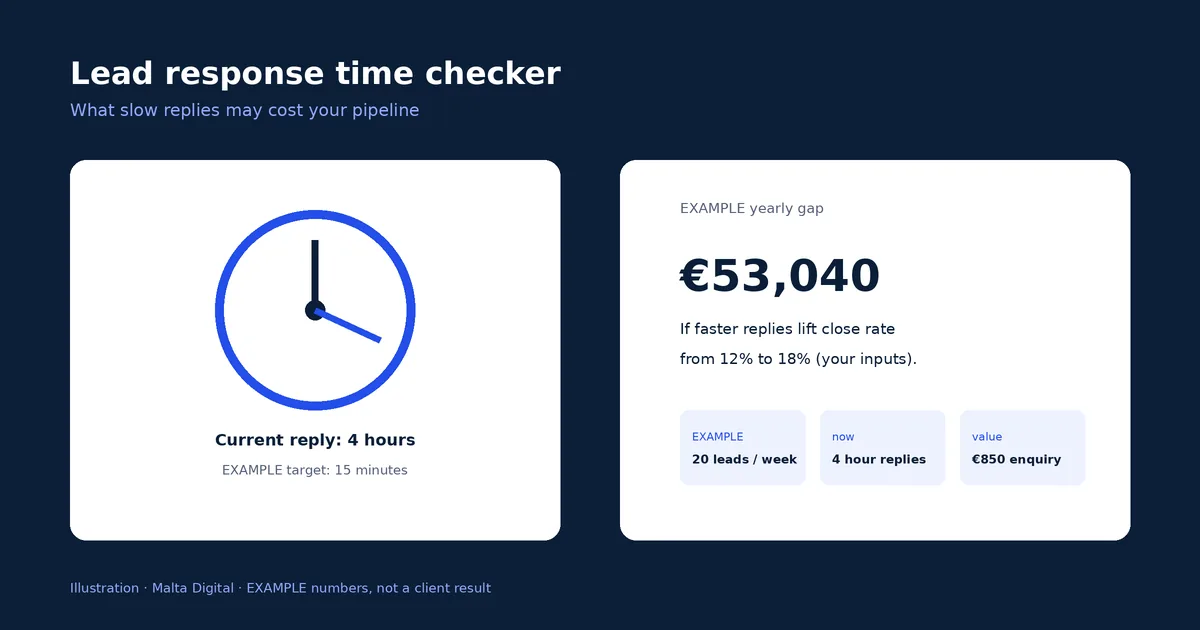
Lead response time checker
See what slow replies cost, with your own numbers.
Websites · Enquiries
Your form is where a visitor becomes a lead, and most forms lose people quietly. This guide gives you 12 fixes, the official rules behind them, and a free scorecard to test your own form on your phone.
A website enquiry form that gets leads asks about five things, has a visible label on every field, opens the right keyboard on a phone, shows errors without losing what was typed, stops spam without puzzles and confirms what happens next. Malta Digital builds forms like this into every site as part of web design in Malta.
The short version
Your enquiry form is the moment a visitor becomes a lead. Everything before it, the design, the photos, the ads, is there to get someone to that box. If the form is long, confusing on a phone or silent after it is sent, all that work is wasted, and you never see the people who gave up halfway.
A good form does four jobs, shown below. Most business websites in Malta do the first one badly, with too many fields, and skip the last two completely: there is no clear confirmation, and the enquiry lands in an inbox nobody checks on a Saturday.
This guide gives you 12 fixes, the official rules behind them, and a free scorecard to test your own form. For packages and prices, see web design in Malta. If your forms already bring leads but they go cold, read our guide to lead follow-up automation.
Phones first
Eurostat’s 2025 survey shows that 94.7% of all individuals in Malta used the internet on a mobile phone, above the EU average of 89.9%. Only 0.4% went online only on a desktop or laptop. Your form will be filled in with a thumb, on a small screen, often with one hand and a patchy connection.
That changes the design. Fields must be large enough to tap, stacked one above the other, with labels that stay visible while typing. The phone field must open the number keypad and the email field the keyboard with the @ sign. The send button must be easy to reach and say what it does, such as “Send my request”, not “Submit”. Test your own form on your phone today: if you get annoyed, so do your customers.
Fewer fields
Every field is a small reason to give up. The GDPR also asks you to collect only the personal data you need for the purpose; Article 5(1)(c) calls this data minimisation. For a first enquiry, you need enough to reply and to price roughly. The rest can wait for the call.
| Field | Decision | Why |
|---|---|---|
| Name | Keep | You need to address the reply |
| Email or mobile | Keep, let them choose | Some people prefer a call, some only read email |
| What they need | Keep, as a short list to tap | Lets you route and price without a long message |
| Locality | Keep for services on site | Travel and availability change the answer |
| When | Keep for bookings and jobs | Tells you how urgent it is |
| Budget band | Optional | Useful for bigger projects, off-putting for small ones |
| Company name, job title | Remove for consumers | Ask later if you sell to businesses |
| Address, ID card, date of birth | Remove | Not needed to reply, and more data to protect |
| How did you hear about us | Remove | Track this with your website analytics instead |
Short lists to tap are faster on a phone than typing. “What do you need?” with four or five options tells you more in one tap than a blank message box. Keep the message box, but make it optional.
Want a form that gets more enquiries from the same visitors? Apply now for better enquiry forms
Labels and keyboards
The World Wide Web Consortium’s accessibility tutorials are clear: every field needs a visible label, and placeholder text, the grey hint inside a box, is not a replacement for a label. It disappears as soon as someone starts typing and screen readers do not treat it as a label. WCAG 2.2, the standard behind EU accessibility law, requires labels or instructions wherever input is needed (success criterion 3.3.2).
WCAG 2.2 also asks that common fields identify their purpose (success criterion 1.3.5), which in practice means the right autocomplete setting. When it is set, the phone fills in the name, email and number in one tap. That one change removes most of the typing from a short form.
| Field | Input type | Autocomplete | What the visitor sees |
|---|---|---|---|
| Full name | text | name | Their name offered in one tap |
| Keyboard with @ and .com, email offered | |||
| Mobile | tel | tel | Number keypad, number offered |
| Postcode | text | postal-code | Malta format such as VLT 1117, offered |
| Locality | text or a list | address-level2 | Town offered or picked from a list |
| Preferred date | date | off | The phone’s own date picker |
If you sell online to consumers, the European Accessibility Act (Directive (EU) 2019/882) has applied to many ecommerce services since 28 June 2025, with an exemption for microenterprises providing services. Our European Accessibility Act guide explains who it covers. Even where it does not apply to you, accessible forms are simply faster for everyone.
Errors
A form that throws away what someone typed because one field was wrong is the fastest way to lose a lead. WCAG 2.2 asks that errors are identified in text (3.3.1) and that a fix is suggested where one is known (3.3.3). It also asks that people are not made to type the same information twice in one process (3.3.7, redundant entry).
Spam
Spam is a real problem for any form, but the cure is often worse than the disease. Image puzzles and “select all the traffic lights” tests stop some bots and many real customers, especially on a phone. The W3C’s note on the inaccessibility of CAPTCHA explains how these tests block people with visual and cognitive disabilities and recommends other methods.
| Method | Stops | Cost to real customers |
|---|---|---|
| Hidden trap field | Simple bots that fill every field | None, people never see it |
| Time check | Bots that send in under two seconds | None |
| Rate limit | Floods from one source | None for normal use |
| Server-side checks | Links, scripts and junk in fields | None |
| Invisible risk scoring | Most automated spam | Low, sometimes a check for suspicious visits |
| Image or puzzle test | Some bots | High, real people give up |
Start with the first four. They stop most spam with no cost to the visitor. Add more only if spam is still getting through, and keep it invisible.
Privacy and consent
Under GDPR Article 13 you must tell people who you are, why you collect their data and where to read more when you collect it. On a form, that is one short line under the send button with a link to your privacy notice. A wall of legal text above the form only puts people off.
Marketing is separate. If you want to send newsletters or offers, Malta’s electronic communications rules (S.L. 586.01, regulation 9) and the GDPR expect a clear choice: a separate box that is not ticked in advance. Do not make the enquiry depend on agreeing to marketing. Our website legal requirements guide covers privacy notices and cookies in full.
After the send
The form is not finished when the button is pressed. Three things should happen within seconds.
Then reply fast. A lead that waits a day has usually asked two other businesses by then. Our free lead response time checker shows what slow replies cost, and our CRM in Malta page explains how enquiries can be routed, followed up and never lost.
Free tool
Open your website on your phone, count the fields on your form and tick what is true today. The scorecard gives a score out of 100 and the three fixes to do first.
Use your own figures. Nothing you type is sent anywhere.
Your result appears here as you type.
Worked examples
Example 1: a clinic with an 11-field form. Say a clinic’s website gets 2,000 visits a month and 1.5% send the contact form, which is 30 enquiries. The form asks for 11 things, including address and date of birth, and has no autofill. Cut it to five fields with autofill, a short list of treatments to tap and a thank-you page, and say the rate rises to 2.5%. That is 50 enquiries a month from the same visitors, 20 more, without spending a cent more on advertising.
Example 2: what a better form is worth. If one in four of those 20 extra enquiries books and a first booking is worth €80, that is €400 a month, or €4,800 a year. A new website with a properly built form fits our Business Website from €2,490, built in 2 to 4 days once your content is ready, or the Professional Website from €990, complete in 24 to 48 hours.
Forms work for ads too. A Meta lead generation campaign we ran brought 478 form leads at €9.68 each. The lesson carries over to your website: fewer, clearer questions and a fast reply.
Want every enquiry to reach the right person in seconds? Apply now for better enquiry forms
Step by step
How we build it
Every website we build in Malta and Gozo comes with forms designed this way: short, labelled, fast on a phone, protected from spam without puzzles, with a thank-you page, an email copy and instant notification to the right person. You own the website and every enquiry it collects. Work starts as soon as the first payment is made.
| Package | Price | Build time | Forms included |
|---|---|---|---|
| Professional Website | From €990 | 24 to 48 hours | A short enquiry form with thank-you page and email copy |
| Business Website | From €2,490 | 2 to 4 days | Forms per service, lists to tap, routing to the right person |
| 24-Hour Premium Website | €2,990, up to 15 pages | 24 hours | Forms on every key page, live the next day |
| Growth Website | From €4,900 | 7 days | Multi-step forms, ads conversion tracking and CRM-ready leads |
If enquiries need to flow into a CRM with follow-ups, reminders and reports, that is a custom system from €7,500. A first working version of a custom system is ready in 2 to 4 weeks.
We have 18 Google reviews from real clients. For a full pre-launch list, read our website launch checklist, or apply below and tell us how enquiries reach you today.
Ready for a website that turns visits into enquiries? Apply now for better enquiry forms
A few straight answers
For a first enquiry, about five: name, email or mobile, what they need, locality and when, plus an optional message. Every extra field gives people a reason to stop, and the GDPR asks you to collect only the data you need.
No. The W3C explains that placeholder text disappears when typing starts and is not treated as a label by screen readers. Put a visible label above every field and use placeholders only for short examples.
Avoid image and puzzle tests where you can, because they stop real customers too. A hidden trap field, a time check, a rate limit and server-side checks stop most spam with no cost to visitors.
Show a thank-you page that says what happens next and when, email the customer a copy of what they sent, and notify the right person at once on the phone they carry, with a copy saved in your CRM.
Yes. Under GDPR Article 13 you must tell people who you are and why you collect their data. One short line under the send button with a link to your privacy notice is enough on the form itself.
Only with a clear, separate choice. Use a marketing box that is not ticked in advance, and never make the enquiry depend on it, in line with S.L. 586.01 regulation 9 and the GDPR.
Malta Digital’s Professional Website starts from €990 and is complete in 24 to 48 hours. The Business Website from €2,490 adds forms per service and routing, built in 2 to 4 days once your content is ready.
Sources
Keep reading
See what slow replies cost, with your own numbers.

Privacy notices, cookies and the details every site must show.

Pages that turn ad clicks into enquiries.
A useful first step
Professional Website from €990, Business Website from €2,490 and Growth Website from €4,900. Tell us about your business and we reply with what we would build.
Step 1 of 2
A few quick questions, about a minute. We usually reply within 2–3 hours.